Managing multiple WordPress integration plugins can get expensive fast. One plugin sends form entries to Google Sheets. Another connects WooCommerce to a CRM. A third handles email marketing or notifications. Over time, that stack creates extra cost, more settings to manage, and a higher chance of plugin conflicts.
Bit Integrations offers a simpler way to handle those connections. Instead of relying on separate plugins for each task, you can use one automation plugin to connect platforms with the tools you already use.
In WordPress, it’s common to use several plugins to connect platforms like Google Sheets, CRMs, and email marketing tools. While this might seem manageable at first, it leads to plugin bloat, performance issues, and compatibility headaches.
Bijvoorbeeld:
In total, these single-purpose plugins can cost you up to $207/year, and that’s just for four integrations! Now, imagine the time wasted installing, configuring, and managing each plugin.
Door gebruik te maken van Bit Integrations, you can integrate 335+ platforms, waaronder form builders, CRM's, eCommerce tools, marketing automation platforms, messaging apps, and more. This eliminates the need for managing multiple plugins, reducing clutter in your WordPress dashboard, and preventing compatibility issues.
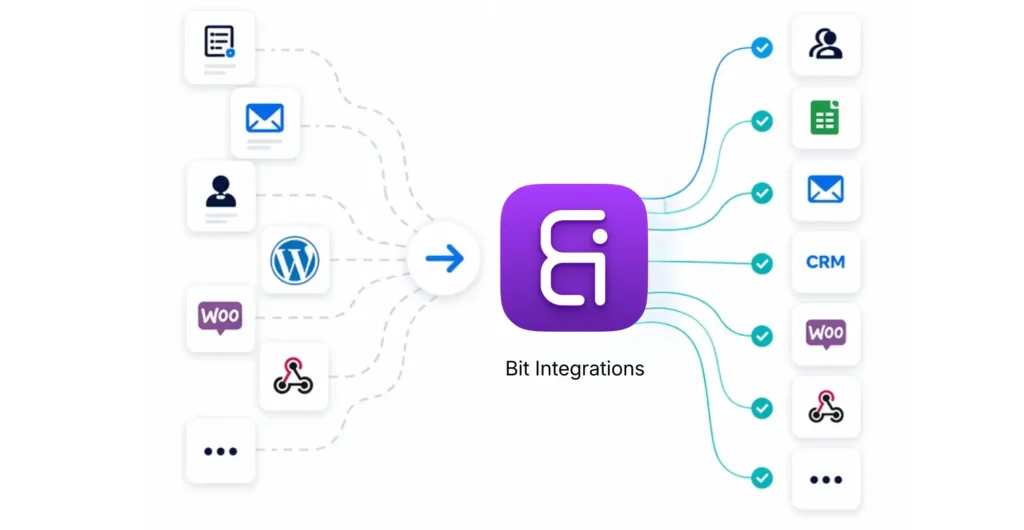
See how those single-purpose plugins quietly eat up your budget with every new integration?
Now, let’s look at how much money you can actually save in a year with just one plugin: Bit Integrations.
| Vergelijking | Separate Single-Purpose Plugins | One All-in-One Integration Plugin – Bit Integrations |
| Number of plugins needed | Suppose, 4 plugins for 4 platforms Integration | 1 Plugin – over 300+ platforms |
| Total cost for the listed examples | Around $200/Year | $35/Year with 335+ platforms |
| Setup and management | Separate installs and settings | One dashboard |
| Supported workflows | Limited platforms specific task per plugin | Multiple workflows in one place |
| Flexibility | Beperkt | Broad automation + integrations + webhook support |
| Schaalbaarheid | More needs integration = more plugins | One plugin grows with your needs |
With Bit Integrations, you’ll pay just $35/year for all integrations, saving you hundreds in licensing fees, reducing the risk of plugin conflicts, and making your workflow more efficient.
Bit Integrations makes automation as easier:

That’s it! No need for complex coding or juggling multiple plugins. Bit Integrations does it all from one intuitive dashboard.
Here’s why Bit Integrations is the go-to automation and integration plugin for WordPress:
Bit Integrations truly shines when you put it to work in real scenarios. Here’s how real WordPress users are simplifying their daily tasks by connecting their site to over 335 different platforms, all with one simple plugin.
Automating your forms is one of the easiest ways to save hours every week. Whether you use WPForms, Elementor Forms, Gravity Forms, or any other popular form builder, Bit Integrations lets you instantly send every submission wherever you need it.
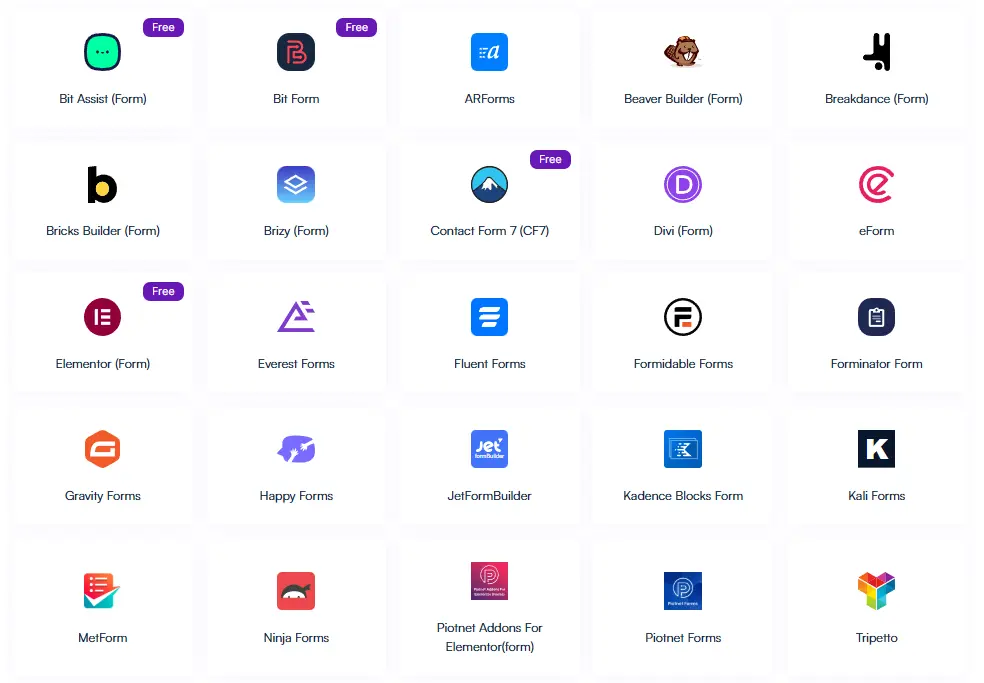
Imagine someone fills out a form on your website. Within seconds, their details can automatically land in your CRM (like HubSpot or Zoho CRM), Google Sheets, or your email marketing list. No more manual copying. No more missed opportunities.
If you run an online store with WooCommerce, Easy Digital Downloads, or SureCart, Bit Integrations makes order management easier.

When a customer places an order, Bit Integrations can automatically update your inventory and send customer details to your CRM. Trigger a personalized thank-you email, or even notify your team via Slack or Telegram.
You get to focus on growing your business while the boring stuff happens in the background.
Staying on top of customer information is much easier when everything stays updated automatically.
Bit Integrations connects easily with top CRMs like HubSpot, Zoho CRM, Salesforce, Gohighlevel, Activecampaign as well as marketing tools like Mailchimp, and more.

For example, every time a visitor submits a form or makes a purchase, their data flows straight into your CRM. You can even trigger a follow-up email automatically. Your customer records stay fresh, your marketing stays timely, and you save tons of manual work.
Running an affiliate program with AffiliateWP, SliceWP, or similar plugins? Bit Integrations takes care of the repetitive tasks for you.

When a new affiliate gets approved, you can automatically send them a welcome email. When they make a referral, their status updates in your CRM instantly.
Everything runs smoothly in the background, so you can focus on growing your program instead of chasing admin work.
In modern business, efficiency is the key to succes. Bit Integrations centralizes all your external tool connections into one place, saving you time and eliminating the need for multiple plugins.
Zo helpt het:
Using a separate plugin for every integration creates more cost, more maintenance, and more chances for conflicts over time. A simpler setup is easier to manage and easier to scale.
Bit Integrations helps you replace that scattered setup with one central automation plugin for WordPress. With a simple trigger, action, and field mapping flow, you can connect forms, WooCommerce, CRMs, Google Sheets, webhooks, and more without relying on multiple single-purpose tools.
If you want fewer plugins, cleaner workflows, and a more efficient way to manage WordPress automation, Bit Integrations gives you a smarter place to start.
Bit Integrations consolidates all your integrations into a single plugin, eliminating the need for multiple tools. It connects over 335 platforms, from form builders to CRMs and marketing tools, simplifying automation and reducing clutter in your WordPress dashboard.
Yes! Bit Integrations supports over 45+ popular WordPress form builders, and you can easily connect your desired form builders to your favorite platforms.
Yes! Bit Integrations supports dozens of popular CRMs, and you can easily connect your WordPress site to your favourite CRMs.
Yes, Bit Integrations allows you to connect to email marketing platforms like Mailchimp, Brevo, ConvertKit, and more. Automatically sync form submissions, customer data, and order details to your email lists, ensuring a seamless marketing automation process.
No! Bit Integrations is a no-code automation tool, so anyone can create workflows inside the WordPress dashboard without writing a single line of code.
No, there are no limits. Bit Integrations allows unlimited integrations, giving you the freedom to connect as many platforms as needed for your workflow.





 NL
NL  EN
EN  ES
ES  DE
DE  FR
FR