DE
DE  EN
EN  ES
ES  NL
NL  FR
FR  PT
PT  IT
IT  JA
JA ConvertForce Bewertung: Das beste Gutenberg-native Popup & CTA Plugin für WordPress
Denken Sie an das letzte Mal, als Sie etwas Wichtiges auf Ihrer WordPress-Seite zeigen wollten.
Vielleicht war es ein zeitlich begrenzter Rabatt. Vielleicht ein Angebot für kostenlosen Versand. Vielleicht ein Popup zur.
Das klingt einfach, aber in WordPress wird es oft komplizierter als nötig.
Die meisten Popup-Plugins werden mit einem eigenen Custom Builder geliefert. Manche wirken schwerfällig. Einige sind hauptsächlich für E-Mail-Opt-ins konzipiert. Manche erfordern, dass Sie sich in eine völlig andere Benutzeroberfläche einarbeiten, nur um eine kleine Benachrichtigungsleiste zu erstellen. Und manche fühlen sich wie eine vollständige Marketingplattform an, wenn Sie eigentlich nur ein sauberes Popup oder eine CTA-Kampagne benötigen.
Dort unterscheidet sich ConvertForce.
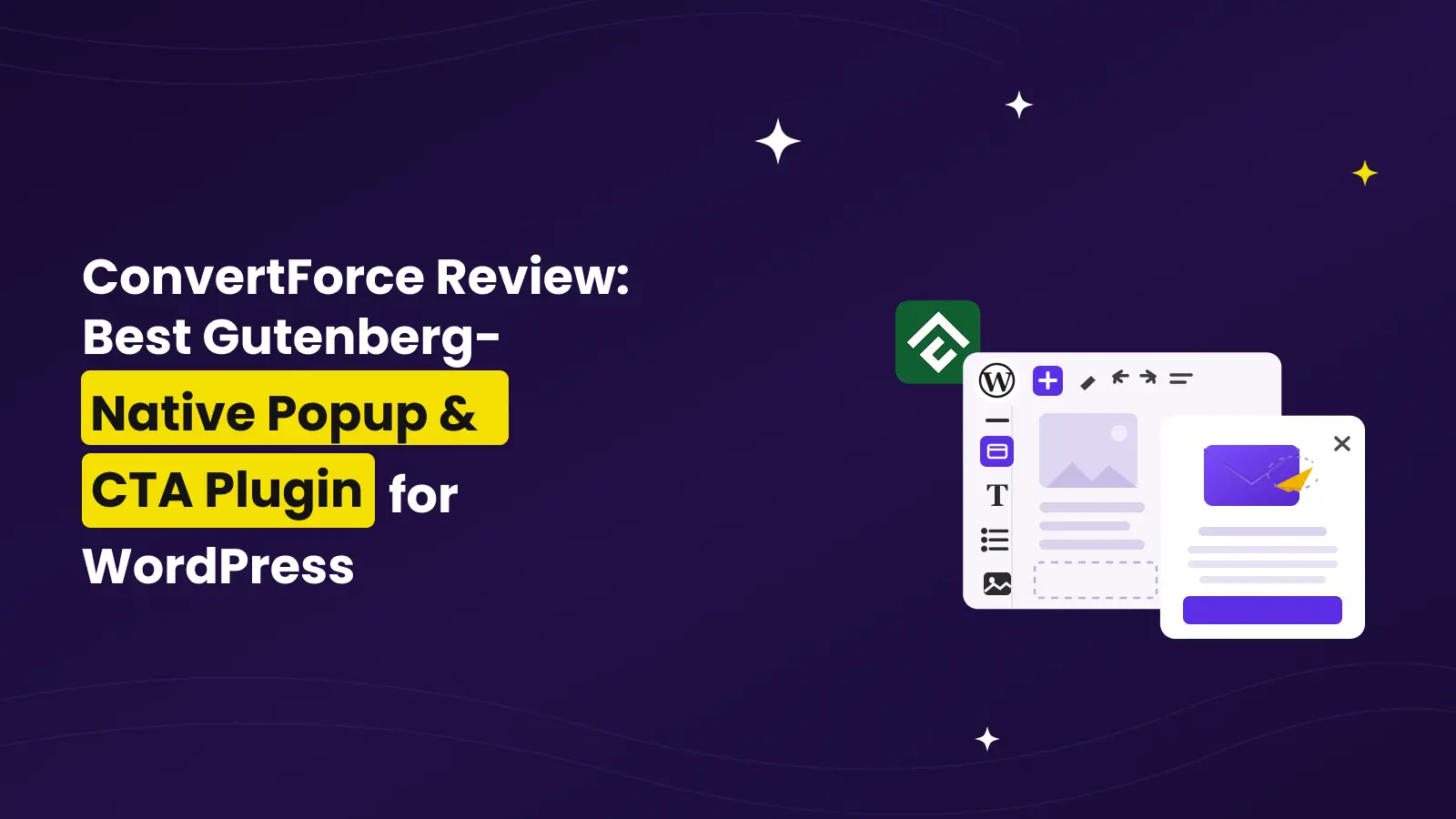
ConvertForce ist ein Gutenberg-natives WordPress-Popup- und CTA-Plugin, mit dem Sie Benachrichtigungsleisten, Lightbox-Popups und Slide-ins direkt im WordPress-Block-Editor erstellen können. Kein separater Popup-Builder. Kein Shortcode-basierter Workflow. Keine Abhängigkeit von Page Buildern.
In dieser ConvertForce-Rezension werden wir uns eingehend damit beschäftigen, was das Plugin tut, wie es funktioniert, seine Hauptfunktionen, Preise, Vor- und Nachteile, wo es passt, wo nicht und ob es sich lohnt, es auf Ihrer WordPress-Website zu verwenden.
TL;DR
ConvertForce ist ein leichtgewichtiges, Gutenberg-natives Pop-up- und CTA-Plugin für WordPress. Es ermöglicht Ihnen, Benachrichtigungsleisten, Lightbox-Pop-ups und Slide-ins mit dem WordPress Block Editor zu erstellen. Die kostenlose Version beinhaltet alle drei Kampagnentypen und den Zeitverzögerung-Trigger, während ConvertForce Pro erweiterte Trigger wie Exit Intent, Scrolltiefe und Benutzerinaktivität hinzufügt.
Es ist am besten für WordPress-Benutzer, die bereits den Block-Editor verwenden und eine einfache Möglichkeit suchen, Conversion-fokussierte Kampagnen zu erstellen, ohne ihrem Website einen schwerfälligen Popup-Builder hinzuzufügen.
Es ist nicht das richtige Plugin, wenn Sie immer noch den klassischen Editor verwenden, fortschrittliche Automatisierung auf SaaS-Niveau benötigen oder sofort integrierte E-Mail-Marketing-Integrationen wünschen.
Was ConvertForce wirklich ist und was nicht
ConvertForce ist ein WordPress-Plugin zur Erstellung von On-Site-CTA-Kampagnen.
Mit CTA-Kampagnen meine ich Dinge wie:
| Kampagnenart | Anwendungsfall |
| Benachrichtigungsleiste | Rabatte, kostenloser Versand, Cookie-Hinweise, Produkteinführungen oder Website-weite Updates ankündigen |
| Lightbox-Popup | Leads sammeln, Angebote bewerben, Rabatte bei Verlassen der Seite anzeigen oder wichtige Nachrichten hervorheben |
| Einrasten | Testimonials, Vertrauensab |
Der Hauptunterschied besteht darin, dass ConvertForce Ihnen keine separate Popup-Designoberfläche bietet. Stattdessen wird der WordPress Block Editor als Kampagnen-Builder verwendet.
Wenn Sie also bereits wissen, wie Sie einen Überschriften-, Button-, Bild-, Spalten-, Absatz- oder Formularblock in einen WordPress-Beitrag einfügen, verstehen Sie bereits den grundlegenden Design-Workflow von ConvertForce.
Nun, was ist es nicht?
ConvertForce ist keine eigenständige SaaS-Popup-Plattform wie OptinMonster. Es versucht nicht, ein vollständiges Marketing-Automatisierungssystem zu werden. Es ist auch kein eigenständiges E-Mail-Marketing-Tool. Es beinhaltet derzeit keine nativen E-Mail-Integrationen wie Mailchimp, ConvertKit oder ActiveCampaign.
Stattdessen konzentriert sich ConvertForce auf eine Sache: WordPress-Benutzern dabei zu helfen, leichte, blockbasierte Popups und CTA-Kampagnen auf ihrer eigenen Website zu erstellen.
Dieser Fokus ist tatsächlich der Grund, warum es sich erfrischend anfühlt.
Warum Gutenberg nativ wichtig ist
Viele WordPress-Plugins sagen, sie seien “Gutenberg-kompatibel”.”
Aber Gutenberg-kompatibel und Gutenberg-nativ ist nicht dasselbe.
Ein Gutenberg-kompatibles Plugin funktioniert möglicherweise mit dem Block-Editor, verwendet aber dennoch seinen eigenen Builder, sein eigenes Einstellungsfenster, seine eigene Benutzeroberfläche oder sein eigenes Shortcode-System.
Ein Gutenberg-natives Plugin ist anders. Es nutzt den Block-Editor selbst als Erstellungserlebnis.
Das ist der größte Verkaufsargument von ConvertForce.
Mit ConvertForce müssen Sie keine neue Designoberfläche erlernen. Sie müssen nicht zwischen einem separaten Popup-Builder und Ihrem WordPress-Dashboard wechseln. Sie müssen sich nicht auf Elementor, Divi, Beaver Builder oder einen anderen Page Builder verlassen.
Sie erstellen Ihre Kampagne mit denselben WordPress-Blöcken, die Sie bereits für normale Inhalte verwenden.
Das bedeutet, Sie können Dinge hinzufügen wie:
- Überschriften
- Absätze
- Knöpfe
- Bilder
- Spalten
- Gruppen
- Listen
- Kundenstimmen
- Bewertungen mit Sternen
- Symbole
- Benutzerdefinierte Blöcke von anderen Block-Plugins
Das ist nützlich, da die meisten WordPress-Benutzer bereits mit dem Block-Editor vertraut sind. Und wenn Sie eine WordPress-Website rund um Gutenberg aufbauen, ist es sinnvoll, dasselbe System auch für Ihre Popups, Balken und Slide-ins zu verwenden.
Wie ConvertForce funktioniert
Der Arbeitsablauf ist einfach.
Sie installieren das Plugin, erstellen eine neue Kampagne, wählen den Kampagnentyp aus, gestalten sie mit Blöcken, konfigurieren die Anzeigeeinstellungen, legen den Auslöser fest und veröffentlichen sie.
So sieht der Prozess aus:
- Installiere und aktiviere ConvertForce.
- Gehen Sie im WordPress-Dashboard zum Bereich ConvertForce.
- Eine neue Kampagne erstellen.
- Wählen Sie den Anzeigetyp: Benachrichtigungsleiste, Lightbox-Popup oder Einblendung.
- Beginnen Sie mit einem fertigen Muster oder einer leeren Leinwand.
- Gestalten Sie die Kampagne mit WordPress-Blöcken.
- Position, Layout, Breite und Darstellung konfigurieren.
- Legen Sie Regeln für die Anzeige fest, um zu entscheiden, wo die Kampagne erscheinen soll.
- Wählen Sie den Auslöser.
- Veröffentlichen Sie die Kampagne.
Das Plugin fühlt sich besonders natürlich an, wenn du Gutenberg bereits regelmäßig nutzt.
Zum Beispiel können Sie, wenn Sie eine Sale-Benachrichtigungsleiste erstellen möchten, eine einfache Textzeile, eine Schaltfläche und vielleicht ein Schließsymbol hinzufügen. Wenn Sie ein Newsletter-Popup erstellen möchten, können Sie eine Überschrift, einen Absatz, ein Bild und einen Formularblock hinzufügen. Wenn Sie ein Slide-in-Testimonial erstellen möchten, können Sie ein Zitat, eine Sternebewertung und den Kundennamen hinzufügen.
Die Kampagne ist nicht in einem proprietären Builder eingeschlossen. Sie ist mit Blöcken aufgebaut.
Das ist der springende Punkt.
ConvertForce Kampagnentypen
ConvertForce unterstützt derzeit drei Kampagnentypen: Benachrichtigungsleisten, Lightbox-Popups und Slide-ins.
Schauen wir uns jeden einzelnen an.
Benachrichtigungsleisten
Benachrichtigungsleisten sind wahrscheinlich der praktischste Kampagnentyp in ConvertForce.
Eine Benachrichtigungsleiste erscheint normalerweise am oberen oder unteren Rand Ihrer Website. Sie bleibt sichtbar, ohne die Erfahrung des Besuchers vollständig zu unterbrechen.
Das macht es großartig für Nachrichten, die wichtig, aber nicht zu aggressiv sind.
Sie können Benachrichtigungsleisten verwenden für:
- Blitzverkauf
- Kostenlose Versandangebote
- Produktstartankündigungen
- Neue Funktionsankündigungen
- Cookie-Hinweise
- Urlaubsangebote
- Zeitlich begrenzte Rabatte
- Wartungshinweise
- Affiliate-Kampagnen-Promotionen
- Wichtige standortweite Updates
Zum Beispiel, wenn Sie einen WooCommerce-Shop betreiben, können Sie eine Leiste anzeigen, auf der steht:
“Kostenloser Versand bei allen Bestellungen über $50. Jetzt einkaufen.”
Oder wenn Sie ein Plugin-Geschäft betreiben, können Sie Folgendes anzeigen:
“Einführungsangebot für ConvertForce Pro: Sparen Sie 50% – nur für kurze Zeit.”
Das Gute an Benachrichtigungsleisten ist, dass sie den Bildschirm nicht einnehmen. Besucher können die Seite weiterlesen und trotzdem Ihre Nachricht sehen.
2. Lightbox-Popups
Lightbox-Popups sind direkter.
Sie erscheinen über dem Seiteninhalt und sollen Aufmerksamkeit erregen. Das macht sie nützlich, wenn Sie möchten, dass der Besucher eine bestimmte Aktion ausführt.
Du kannst Lightbox-Popups verwenden für:
- Newsletter-Anmeldungen
- Lead-Magnete
- Exit-Intent-Rabatte
- Produktankündigungen
- Webinar-Anmeldungen
- Couponangebote
- Wichtige Aktualisierungen
- Content upgrades
- Free trial promotions
The most common use case is lead generation.
For example, you can create a popup with a headline, short description, email signup form, and CTA button. Since ConvertForce works with WordPress blocks, you can use a form block from another plugin inside the popup.
This gives you flexibility without needing ConvertForce to become a full form builder.
Lightbox popups are more attention-grabbing than notification bars, so you should use them carefully. But when the timing and targeting are right, they can be very effective.
3. Slide-ins
Slide-ins sit somewhere between notification bars and popups.
They are more noticeable than a simple top bar but less interruptive than a full lightbox popup. A slide-in usually appears from a corner of the screen.
This makes slide-ins a good choice for soft CTAs and trust-building messages.
You can use slide-ins for:
- Kundenstimmen
- Trust badges
- Bewertungen mit Sternen
- Product recommendations
- Blog post promotions
- Lead-Magnete
- Related offers
- Limited-time reminders
- Customer quotes
- Social proof
For example, on a product page, you could show a small slide-in with a customer testimonial and star rating. It can help build credibility without blocking the main content.
This is one area where ConvertForce feels especially useful. Many popup plugins are built mainly around email opt-ins, but ConvertForce can also work as a flexible CTA display plugin.
Key Features of ConvertForce
Now let’s look at the main features that make ConvertForce useful.
1. Native WordPress Block Editor Builder
This is the core feature.
ConvertForce lets you design campaigns using the WordPress block editor. You are not forced into a custom drag-and-drop popup builder.
That means your campaign-building experience feels familiar from the beginning.
Want to add a heading? Use the Heading block.
Want to add a button? Use the Button block.
Want to create a two-column popup with an image on one side and text on the other? Use the Columns block.
Want to add a signup form? Use a form block from your preferred WordPress form plugin.
This approach keeps ConvertForce flexible. It also means the plugin does not need to recreate everything WordPress already provides.
2. Three Display Types in One Plugin
ConvertForce is not just a notification bar plugin. And it is not just a popup plugin either.
It gives you three display types:
| Display Type | Am besten für |
| Benachrichtigungsleiste | Site-wide announcements, offers, shipping notices, cookie messages |
| Lightbox-Popup | Lead generation, exit offers, important announcements |
| Einrasten | Testimonials, soft CTAs, trust badges, recommendations |
This makes ConvertForce useful for more than one type of campaign.
You can use a notification bar for your sale announcement, a lightbox popup for your lead magnet, and a slide-in for a testimonial — all from the same plugin.
3. Ready-Made Patterns
Starting from scratch can be time-consuming.
ConvertForce includes ready-made patterns that help you create campaigns faster. These patterns are useful for common use cases like cookie bars, sale notifications, free shipping bars, and promotional messages.
You can pick a pattern, customize the text, adjust the design, change the button, and publish it.
This is helpful for beginners because they do not need to design the entire layout manually.
It is also helpful for agencies and marketers who want to create campaigns quickly across multiple sites.
4. Display Rules
Not every campaign should appear everywhere.
A homepage announcement may not belong on blog posts. A WooCommerce discount popup may not make sense on your About page. A product-specific offer should only appear on relevant pages.
ConvertForce includes display rules so you can control where campaigns appear.
Depending on your campaign, you can target areas like:
- Entire site
- Specific pages
- Specific posts
- Kategorien
- URLs
- Post types
- Devices
This is important because good popups are not just about design. They are also about context.
A relevant message feels helpful. An irrelevant message feels annoying.
Display rules help you keep campaigns more relevant.
5. Trigger Options
Triggers control when a campaign appears.
ConvertForce Free includes the time delay trigger. This lets you show a campaign after a visitor has been on the page for a certain amount of time.
ConvertForce Pro adds more advanced triggers:
| Auslöser | Available In | Am besten für |
| Time Delay | Free and Pro | Showing campaigns after a few seconds |
| Exit Intent | Pro | Showing an offer before visitors leave |
| Scroll Depth | Pro | Showing campaigns after visitors engage with the page |
| User Inactivity | Pro | Re-engaging visitors who stop interacting |
The Pro triggers are especially useful if you want more control over visitor behavior.
For example, an exit-intent popup can be used to show a discount before someone leaves your store. A scroll depth trigger can show a content upgrade after someone has read part of a blog post. A user inactivity trigger can bring attention back to a visitor who has stopped interacting with the page.
These behavioral triggers make ConvertForce more useful for serious conversion campaigns.
6. Responsive Campaigns
Popups and notification bars can easily become messy on mobile.
A popup that looks good on desktop may feel too large on a phone. A notification bar that works on a laptop may take up too much screen space on mobile.
ConvertForce is built to support responsive campaigns across desktop, tablet, and mobile.
This matters because a large percentage of visitors will see your site from a mobile device. If your CTA campaign does not work well on smaller screens, it can hurt the user experience.
With ConvertForce, campaigns are designed to adapt cleanly across devices.
7. Static Social Proof
One of the more interesting use cases of ConvertForce is static social proof.
Not every popup needs to ask for an email address. Sometimes, you just want to build trust.
For example, you can use a slide-in to show:
- A customer testimonial
- A star rating
- A trust badge
- A short case study quote
- A “trusted by” message
- A product review snippet
This can work well on product pages, pricing pages, landing pages, and checkout-related pages.
Instead of placing every testimonial directly inside the page layout, you can use a slide-in to highlight the message at the right moment.
8. Lightweight Architecture
Performance is one of the biggest concerns with popup plugins.
Many popup plugins add extra scripts, styles, tracking layers, templates, analytics features, and builder assets. Over time, that can slow down your site.
ConvertForce takes a more lightweight approach.
The plugin is built around the WordPress block editor instead of a separate custom builder. It does not try to load a full marketing platform into your site. The official ConvertForce site also highlights its lightweight frontend footprint and zero-bloat positioning.
This is important for bloggers, WooCommerce stores, affiliate sites, agencies, and product businesses that care about site speed.
A popup campaign should help conversions, not make the whole site slower.
ConvertForce Free vs Pro
ConvertForce has both free and Pro versions.
The free version is available on WordPress.org and is enough for basic campaigns. The Pro version is for users who need advanced triggers, premium templates, and priority support.
Here’s a simple comparison:
| Merkmal | Kostenlos | Pro |
| Notification bars | Ja | Ja |
| Lightbox popups | Ja | Ja |
| Slide-ins | Ja | Ja |
| Time delay trigger | Ja | Ja |
| Exit intent trigger | Nein | Ja |
| Scroll depth trigger | Nein | Ja |
| User inactivity trigger | Nein | Ja |
| Display rules | Ja | Ja |
| Unlimited campaigns | Ja | Ja |
| Unlimited impressions | Ja | Ja |
| Unlimited sites | Ja | Ja |
| Static social proof | Ja | Ja |
| Premium templates | Nein | Ja |
| Priority support | Community support | Ja |
The free version is generous because it does not lock campaign types behind the Pro version. You can create notification bars, popups, and slide-ins for free.
The main reason to upgrade is triggers.
If you only need a basic announcement bar or time-delayed popup, the free version may be enough. But if you want exit-intent popups, scroll-based campaigns, or inactivity-based campaigns, ConvertForce Pro makes more sense.
ConvertForce Pricing
ConvertForce Pro has simple pricing.
At the time of writing, the launch offer includes:
| Plan | Launch Price | Regular Price | Billing |
| Annual | $39.50 | $79 | Per year |
| Lebenslang | $124.50 | $249 | Einmalige Zahlung |
Both plans include all three campaign types, Pro triggers, unlimited campaigns, unlimited impressions, unlimited sites, and a 30-day money-back guarantee.
The Annual plan includes one year of updates and support. The Lifetime plan includes lifetime updates and lifetime priority support.
The pricing is simple because there are no multiple site tiers. You do not need to choose between 1-site, 5-site, or unlimited-site licenses. ConvertForce Pro includes unlimited sites in one license.
That makes it especially interesting for agencies, freelancers, and people who manage multiple WordPress sites.
However, pricing can change over time, especially during a launch offer. So it is always a good idea to check the official pricing page before buying.
Performance: Does ConvertForce Slow Down Your Site?
Popup plugins are useful, but they can become a performance problem.
A plugin that loads too many assets can increase page weight, affect loading time, and make your site feel slower. This is especially risky when the plugin loads assets on every page, even when a campaign is not relevant.
ConvertForce’s main performance advantage is its architecture.
Because it is built around the WordPress block editor, it does not need to load a completely separate popup builder on top of WordPress. It also avoids the feeling of a heavy SaaS-style campaign builder inside your site.
The official ConvertForce site positions the plugin around zero bloat and highlights its lightweight frontend footprint. It also mentions that campaign data does not create extra database tables or wp_options entries.
That matters because performance is not only about what visitors see on the front end. It is also about how cleanly a plugin stores and loads its data behind the scenes.
For performance-conscious WordPress users, this is one of the strongest reasons to consider ConvertForce.
Real Use Cases of ConvertForce
ConvertForce is flexible because it is not limited to one campaign type.
Here are some practical ways to use it.
1. Announce a Flash Sale
You can create a top notification bar to promote a limited-time sale.
Beispiel:
“Summer Sale: Get 30% off today only.”
Add a button that links to your shop, pricing page, or offer page.
2. Promote Free Shipping
For WooCommerce stores, a notification bar can be used to promote free shipping.
Beispiel:
“Free shipping on orders over $50.”
This can encourage visitors to add more items to their cart.
3. Collect Email Subscribers
You can create a lightbox popup with a signup form.
Add a heading, short description, image, and form block. Then show it after a time delay or when the visitor is about to leave.
4. Reduce Cart Abandonment
With ConvertForce Pro, you can use exit intent to show an offer before a visitor leaves.
Beispiel:
“Wait! Get 10% off your first order.”
This can be useful for WooCommerce stores, digital product sellers, and SaaS websites.
5. Show a Cookie Notice
A simple notification bar can be used to show a cookie notice or privacy-related message.
Since ConvertForce uses blocks, you can add text, links, and a button in a familiar way.
6. Promote a Product Launch
If you are launching a new product, course, plugin, or feature, a notification bar can help every visitor notice it.
Beispiel:
“New: Our AI Assistant is now live. See what’s new.”
7. Display Testimonials
Slide-ins are great for showing testimonials without redesigning a page.
For example, on a pricing page, you can show a slide-in with a short customer quote and star rating.
8. Highlight a Lead Magnet
If you have a free checklist, guide, template, or course, you can promote it through a popup or slide-in.
A scroll depth trigger works well here because the campaign appears after the visitor has already engaged with the content.
9. Promote a Webinar or Event
You can create a popup that promotes an upcoming webinar, live event, workshop, or training session.
Add a title, short description, date, and CTA button.
10. Show Trust Badges
For sales pages and checkout-related pages, you can use slide-ins to show trust badges, guarantees, review snippets, or “secure checkout” messages.
This can help reduce hesitation without interrupting the visitor too much.
ConvertForce vs Traditional Popup Plugins
ConvertForce is not trying to be the biggest popup plugin. It is trying to be a more WordPress-native one.
Here’s how it compares with traditional popup plugins:
| Merkmal | ConvertForce | Traditional Popup Plugins |
| Builder experience | WordPress block editor | Usually custom builder |
| Page builder dependency | Nein | Sometimes required or preferred |
| Campaign types | Notification bars, popups, slide-ins | Varies by plugin |
| Learning curve | Low for Gutenberg users | Depends on the builder |
| Blocks support | Native | Often limited or indirect |
| Performance focus | Lightweight and minimal | Varies widely |
| Am besten für | WordPress block editor users | Users who want a separate popup system |
| Email integrations | Not built-in yet | Often available in mature tools |
| Advanced automation | Begrenzt | Stronger in SaaS tools |
| Ownership | Runs inside WordPress | Some tools rely heavily on external services |
The biggest difference is the builder experience.
If you like using the WordPress block editor, ConvertForce feels natural. If you prefer a completely separate visual campaign builder with deep marketing automation, another tool may fit better.
ConvertForce Alternatives
There are many popup plugins and platforms for WordPress.
Some common alternatives include:
- OptinMonster
- Popup-Macher
- Hustle
- Pro umwandeln
- FireBox
- Elementor Popup Builder
- Brave
- Poptin
Each one has its own strength.
OptinMonster is a mature SaaS platform with advanced targeting and integrations. Popup Maker is a popular WordPress popup plugin with a long history. Elementor Popup Builder works well for Elementor users. Hustle is useful if you want a more traditional WordPress opt-in plugin.
ConvertForce stands out because of its Gutenberg-native workflow.
So the question is not only “Which popup plugin has the most features?”
The better question is:
“Which popup plugin fits the way I already build WordPress sites?”
If your site is built around the block editor, ConvertForce has a strong advantage.
Pros and Cons
Now let’s look at the good and the not-so-good.
Profis
- Gutenberg-native campaign builder.
- No separate popup builder to learn.
- Works with core WordPress blocks.
- Supports notification bars, lightbox popups, and slide-ins.
- Free version includes all three campaign types.
- Pro version adds useful behavioral triggers.
- Lightweight and performance-focused.
- Good for bloggers, marketers, WooCommerce stores, and agencies.
- Unlimited campaigns and impressions.
- Unlimited sites in the Pro license.
- Useful for both direct CTAs and static social proof.
- Simple pricing without complicated site tiers.
Nachteile
- Not suitable for Classic Editor users.
- Native email marketing integrations are not available yet.
- A/B testing is not available yet.
- Advanced automation is limited compared to larger SaaS popup platforms.
- Still a newer plugin compared to long-established popup plugins.
- Users who prefer Elementor or Divi may prefer popup tools built around those builders.
Who Should Use ConvertForce?
ConvertForce is a good fit for WordPress users who want a simple, lightweight, and block-native way to create CTA campaigns.
It is especially useful for:
- Blogger
- Affiliate marketers
- WooCommerce-Shop-Besitzer
- WordPress agencies
- Freiberufler
- Product businesses
- Course creators
- SaaS websites
- Newsletter publishers
- Performance-conscious site owners
- Anyone already using the WordPress block editor
If you regularly create content with Gutenberg, ConvertForce will feel familiar.
You can use it to promote offers, grow your email list, announce updates, show trust messages, or guide visitors to important pages.
Who Should Not Use ConvertForce?
ConvertForce is not for everyone.
You may want to skip it if:
- Your site still depends on the Classic Editor.
- You want a complete SaaS popup platform.
- You need built-in email marketing integrations right now.
- You need advanced A/B testing.
- You want deep automation workflows.
- You prefer building everything with Elementor or Divi.
- You need a popup plugin with years of marketplace history and a very large ecosystem.
This does not make ConvertForce weak. It just means the plugin has a clear audience.
It is built for WordPress block editor users who want a focused popup and CTA plugin without unnecessary bloat.
My Experience With ConvertForce
The best thing about ConvertForce is that it does not feel like a separate product inside WordPress.
That is a bigger deal than it may sound.
Many WordPress plugins create their own mini-platform inside your dashboard. Sometimes that is necessary. But for popups and CTAs, it can feel like overkill.
ConvertForce keeps the workflow closer to WordPress.
You choose a campaign type, open the block editor, design the message, configure display rules, choose a trigger, and publish.
The experience feels simple.
The plugin also makes sense from a long-term WordPress direction. WordPress is moving more and more toward blocks, patterns, and native editing. A popup plugin that follows that direction feels more future-friendly than one that adds a completely separate design layer.
That said, ConvertForce is still a newer product. It does not yet have every advanced feature you may find in mature popup platforms. Email integrations, A/B testing, and deeper analytics would make it more powerful in the future.
But for what it is trying to do right now, it is very promising.
Final Verdict: Is ConvertForce Worth It?
Yes, ConvertForce is worth trying if you want a lightweight, Gutenberg-native popup and CTA plugin for WordPress.
Its biggest strength is not just that it creates popups. Many plugins can do that.
The real strength is how it creates them.
ConvertForce lets you build notification bars, lightbox popups, and slide-ins using the WordPress block editor. That makes the workflow familiar, flexible, and easier to manage for people who already use Gutenberg.
The free version is good enough for basic campaigns because it includes all three campaign types and the time delay trigger. ConvertForce Pro becomes more valuable when you need exit intent, scroll depth, user inactivity triggers, premium templates, and priority support.
It may not replace advanced SaaS popup platforms for complex marketing teams. But for bloggers, WooCommerce stores, agencies, product businesses, and performance-conscious WordPress users, ConvertForce offers a clean and modern way to create conversion-focused campaigns.
If you are tired of heavy popup builders and want something that feels native to WordPress, ConvertForce is one of the most interesting popup plugins to try.
ConvertForce Review
ConvertForce is a Gutenberg-native popup and CTA plugin for WordPress. It lets you create notification bars, lightbox popups, and slide-ins directly inside the WordPress block editor.
- Features: 4.5
- Ease of Use: 4.7
- Performance: 4.8
- Pricing: 4.6
- Support: 4.3
- Overall Rating: 4.6 out of 5
Summary: ConvertForce is a lightweight and block-native popup plugin for WordPress users who want to create notification bars, popups, and slide-ins without learning a separate builder.
FAQs About ConvertForce
Was ist ConvertForce?
ConvertForce ist ein WordPress-Popup- und CTA-Plugin, mit dem Sie mit dem WordPress-Blockeditor Benachrichtigungsleisten, Lightbox-Popups und Slide-ins erstellen können.
Ist ConvertForce kostenlos?
Ja. ConvertForce hat eine kostenlose Version, die auf WordPress.org verfügbar ist. Die kostenlose Version enthält alle drei Kampagnentypen und den Zeitschaltverzögerungs-Trigger.
Was ist ConvertForce Pro?
ConvertForce Pro ist die kostenpflichtige Version des Plugins. Sie fügt erweiterte Trigger wie Exit Intent, Scrolltiefe und Benutzerinaktivität hinzu. Sie beinhaltet auch Premium-Vorlagen und Prioritätsunterstützung.
Funktioniert ConvertForce mit Gutenberg?
Ja. ConvertForce wurde speziell für den WordPress Block-Editor entwickelt. Sie können Kampagnen mit nativen WordPress-Blöcken gestalten.
Funktioniert ConvertForce mit dem Classic Editor?
Nein. ConvertForce ist ein Gutenberg-nativen Plugin, daher ist es nicht für Workflows auf Basis des Classic Editors konzipiert.
Kann ich mit ConvertForce Exit-Intent-Popups erstellen?
Ja, aber der Exit-Intent-Trigger ist in ConvertForce Pro verfügbar. Die kostenlose Version beinhaltet den Zeitverzögerungs-Trigger.
Kann ich mit ConvertForce Benachrichtigungsbalken erstellen?
Ja. ConvertForce ermöglicht es Ihnen, obere und untere Benachrichtigungsleisten für Ankündigungen, Rabatte, Cookie-Hinweise, kostenlose Versandangebote und andere Website-weite Updates zu erstellen.
Kann ich mit ConvertForce Slide-ins erstellen?
Ja. ConvertForce unterstützt Slide-ins. Diese sind nützlich für Testimonials, Vertrauensabzeichen, sanfte CTAs, Sternebewertungen und Produktempfehlungen.
Verlangsamt ConvertForce WordPress-Seiten?
ConvertForce ist auf Leistung ausgelegt. Es verwendet den WordPress-Blockeditor anstelle eines schweren benutzerdefinierten Builders und positioniert sich auf seiner offiziellen Website als leichtes Popup-Plugin ohne unnötigen Ballast.
Kann ich Formularblöcke in ConvertForce-Popups verwenden?
Ja. Da ConvertForce den Block-Editor verwendet, können Sie Kernblöcke und kompatible Blöcke von Drittanbietern in Ihren Kampagnen verwenden. Das bedeutet, dass Sie Formularblöcke von anderen WordPress-Formular-Plugins innerhalb von ConvertForce-Popups verwenden können.
Ist ConvertForce gut für WooCommerce?
Ja. ConvertForce kann für WooCommerce-Shops nützlich sein. Sie können es verwenden, um kostenlose Versandbalken, Rabatt-Popups, Exit-Intent-Angebote, Produktankündigungen, Warenkorbabbrecher-Angebote und vertrauensbildende Slide-ins anzuzeigen.
Was sind die besten Anwendungsfälle für ConvertForce?
Einige der besten Anwendungsfälle sind Blitzverkaufsbalken, Newsletter-Popups, Ankündigungen für kostenlosen Versand, Rabatte bei Absicht zum Verlassen, Cookie-Hinweise, Ankündigungen von Produkteinführungen, Testimonials, Vertrauensabzeichen und Webinar-Angebote.
Was unterscheidet ConvertForce von anderen Popup-Plugins?
Der Hauptunterschied besteht darin, dass ConvertForce Gutenberg-nativ ist. Anstatt Sie zu zwingen, einen separaten Popup-Builder zu verwenden, können Sie damit Kampagnen mit demselben WordPress-Blockeditor erstellen, den Sie bereits für Beiträge und Seiten verwenden.
Lohnt sich der Kauf von ConvertForce?
ConvertForce Pro ist den Kauf wert, wenn Sie erweiterte Trigger wie Exit Intent, Scrolltiefe und Benutzerinaktivität benötigen. Wenn Sie nur einfache Benachrichtigungsleisten oder grundlegende zeitverzögerte Kampagnen benötigen, reicht möglicherweise die kostenlose Version aus.

Verwandter Blog

Beste EU-konforme Rechnung-Plugins für WooCommerce

7 beste Helpdesk-Plugins für E-Commerce im Jahr 2026