JA
JA  EN
EN  ES
ES  DE
DE  NL
NL  FR
FR  PT
PT  IT
IT ConvertForce レビュー:WordPressのための最高のGutenbergネイティブポップアップ&CTAプラグイン
Think about the last time you wanted to show something important on your WordPress site.
Maybe it was a limited-time discount. Maybe a free shipping offer. Maybe a newsletter signup popup. Maybe a small announcement bar at the top of your site. Or maybe you just wanted to show a testimonial or trust badge without redesigning an entire page.
That sounds simple, but in WordPress, it often becomes more complicated than it should be.
Most popup plugins come with their own custom builder. Some feel heavy. Some are built mainly for email opt-ins. Some require you to learn a completely different interface just to create a small notification bar. And some feel like a full marketing platform when all you really need is a clean popup or CTA campaign.
That’s where ConvertForce feels different.
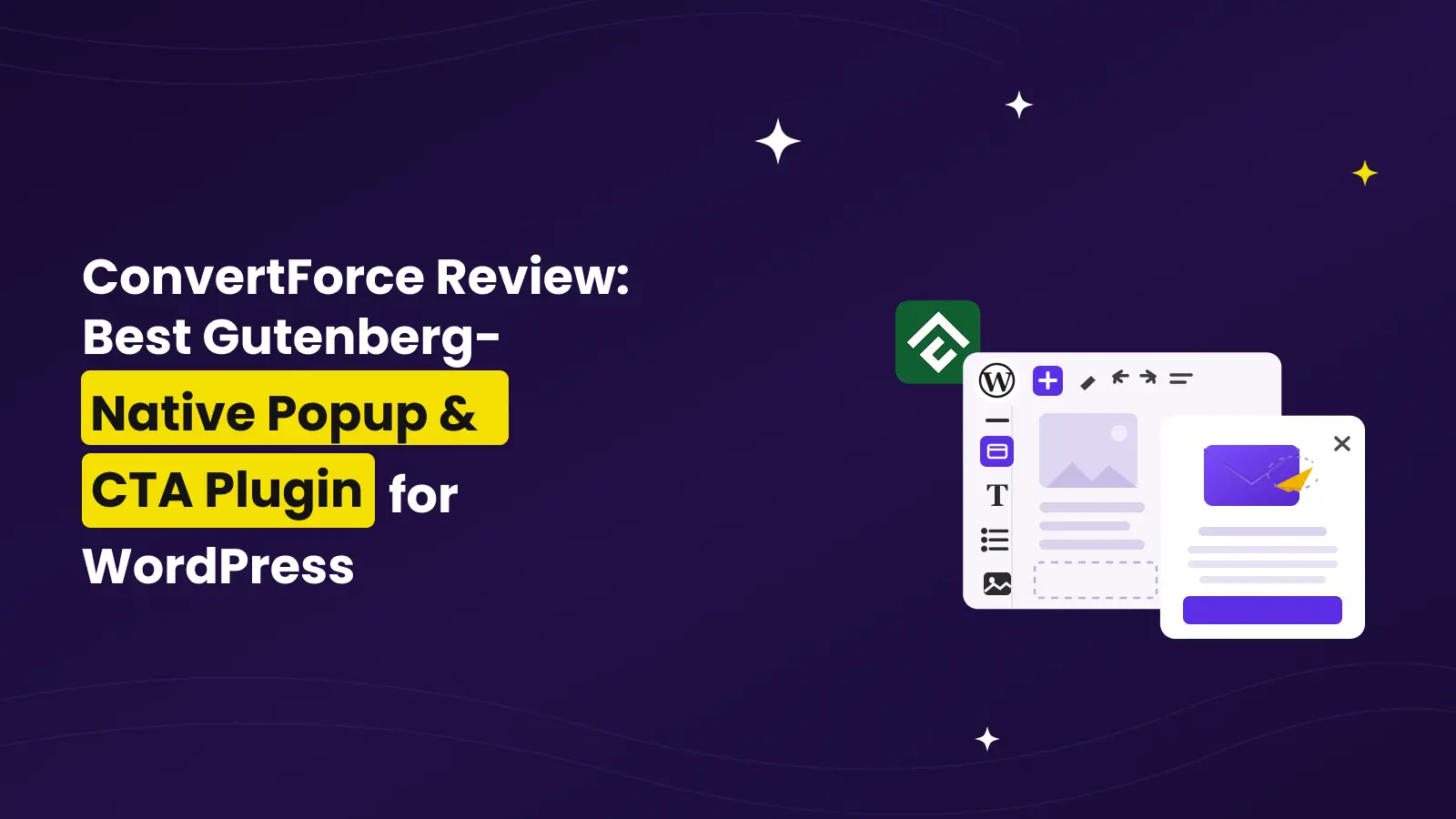
ConvertForce is a Gutenberg-native WordPress popup and CTA plugin that lets you create notification bars, lightbox popups, and slide-ins directly inside the WordPress block editor. No separate popup builder. No shortcode-based workflow. No page builder dependency.
In this ConvertForce review, we’ll take a detailed look at what the plugin does, how it works, its key features, pricing, pros and cons, where it fits, where it doesn’t, and whether it is worth using on your WordPress site.
長文要約
ConvertForce is a lightweight, Gutenberg-native popup and CTA plugin for WordPress. It lets you create notification bars, lightbox popups, and slide-ins using the WordPress block editor. The free version includes all three campaign types and the time delay trigger, while ConvertForce Pro adds advanced triggers like exit intent, scroll depth, and user inactivity.
It is best for WordPress users who already use the block editor and want a simple way to create conversion-focused campaigns without adding a heavy popup builder to their site.
It is not the right plugin if you still use the Classic Editor, need advanced SaaS-level automation, or want built-in email marketing integrations right away.
What ConvertForce Actually Is and What It Isn’t
ConvertForce is a WordPress plugin for creating on-site CTA campaigns.
By CTA campaigns, I mean things like:
| Campaign Type | Common Use Case |
| Notification Bar | Announce discounts, free shipping, cookie notices, product launches, or site-wide updates |
| Lightbox Popup | Collect leads, promote offers, show exit-intent discounts, or highlight important messages |
| Slide-in | Display testimonials, trust badges, star ratings, soft CTAs, or product recommendations |
The main difference is that ConvertForce does not give you a separate popup design interface. Instead, it uses the WordPress block editor as the campaign builder.
So if you already know how to add a heading, button, image, column, paragraph, or form block inside a WordPress post, you already understand the basic design workflow of ConvertForce.
Now, what isn’t it?
ConvertForce is not a standalone SaaS popup platform like OptinMonster. It does not try to become a complete marketing automation system. It is also not an email marketing tool by itself. It does not currently include native email integrations like Mailchimp, ConvertKit, or ActiveCampaign.
Instead, ConvertForce focuses on one thing: helping WordPress users create lightweight, block-based popups and CTA campaigns inside their own site.
That focus is actually the reason it feels refreshing.
Why Gutenberg-Native Matters
A lot of WordPress plugins say they are “Gutenberg compatible.”
But Gutenberg-compatible and Gutenberg-native are not the same thing.
A Gutenberg-compatible plugin may work with the block editor, but still use its own builder, settings panel, custom interface, or shortcode system.
A Gutenberg-native plugin is different. It uses the block editor itself as the creation experience.
That is the biggest selling point of ConvertForce.
With ConvertForce, you don’t need to learn a new design interface. You don’t need to jump between a separate popup builder and your WordPress dashboard. You don’t need to depend on Elementor, Divi, Beaver Builder, or any other page builder.
You create your campaign using the same WordPress blocks you already use for normal content.
That means you can add things like:
- Headings
- Paragraphs
- Buttons
- Images
- Columns
- Groups
- Lists
- Testimonials
- Star ratings
- Icons
- Custom blocks from other block plugins
This is useful because most WordPress users are already familiar with the block editor. And if you are building a WordPress site around Gutenberg, it makes sense to use the same system for your popups, bars, and slide-ins too.
How ConvertForce Works
The workflow is simple.
You install the plugin, create a new campaign, choose the campaign type, design it with blocks, configure the display settings, set the trigger, and publish it.
Here’s what the process looks like:
- Install and activate ConvertForce.
- Go to the ConvertForce area in your WordPress dashboard.
- Create a new campaign.
- Choose the display type: notification bar, lightbox popup, or slide-in.
- Start with a ready-made pattern or a blank canvas.
- Design the campaign using WordPress blocks.
- Configure the position, layout, width, and appearance.
- Set display rules to decide where the campaign should appear.
- Choose the trigger.
- Publish the campaign.
The plugin feels especially natural if you already use Gutenberg regularly.
For example, if you want to create a sale notification bar, you can add a simple text line, a button, and maybe a close icon. If you want to create a newsletter popup, you can add a heading, paragraph, image, and form block. If you want to create a slide-in testimonial, you can add a quote, star rating, and customer name.
The campaign is not locked inside a proprietary builder. It is built with blocks.
That is the whole point.
ConvertForce Campaign Types
ConvertForce currently supports three campaign types: notification bars, lightbox popups, and slide-ins.
Let’s look at each one.
1. Notification Bars
Notification bars are probably the most practical campaign type inside ConvertForce.
A notification bar usually appears at the top or bottom of your site. It stays visible without fully interrupting the visitor’s experience.
This makes it great for messages that are important but not too aggressive.
You can use notification bars for:
- Flash sales
- Free shipping offers
- Product launch announcements
- New feature announcements
- Cookie notices
- Holiday offers
- Limited-time discounts
- Maintenance notices
- Affiliate campaign promotions
- Important site-wide updates
For example, if you run a WooCommerce store, you can show a bar that says:
“Free shipping on all orders over $50. Shop now.”
Or if you run a plugin business, you can show:
“ConvertForce Pro launch offer: Save 50% for a limited time.”
The good thing about notification bars is that they do not take over the screen. Visitors can keep reading the page while still seeing your message.
2. Lightbox Popups
Lightbox popups are more direct.
They appear over the page content and are designed to capture attention. This makes them useful when you want the visitor to take a specific action.
You can use lightbox popups for:
- Newsletter signups
- Lead magnets
- Exit-intent discounts
- Product announcements
- Webinar registrations
- Coupon offers
- Important updates
- Content upgrades
- Free trial promotions
The most common use case is lead generation.
For example, you can create a popup with a headline, short description, email signup form, and CTA button. Since ConvertForce works with WordPress blocks, you can use a form block from another plugin inside the popup.
This gives you flexibility without needing ConvertForce to become a full form builder.
Lightbox popups are more attention-grabbing than notification bars, so you should use them carefully. But when the timing and targeting are right, they can be very effective.
3. Slide-ins
Slide-ins sit somewhere between notification bars and popups.
They are more noticeable than a simple top bar but less interruptive than a full lightbox popup. A slide-in usually appears from a corner of the screen.
This makes slide-ins a good choice for soft CTAs and trust-building messages.
You can use slide-ins for:
- Testimonials
- Trust badges
- Star ratings
- Product recommendations
- Blog post promotions
- Lead magnets
- Related offers
- Limited-time reminders
- Customer quotes
- Social proof
For example, on a product page, you could show a small slide-in with a customer testimonial and star rating. It can help build credibility without blocking the main content.
This is one area where ConvertForce feels especially useful. Many popup plugins are built mainly around email opt-ins, but ConvertForce can also work as a flexible CTA display plugin.
Key Features of ConvertForce
Now let’s look at the main features that make ConvertForce useful.
1. Native WordPress Block Editor Builder
This is the core feature.
ConvertForce lets you design campaigns using the WordPress block editor. You are not forced into a custom drag-and-drop popup builder.
That means your campaign-building experience feels familiar from the beginning.
Want to add a heading? Use the Heading block.
Want to add a button? Use the Button block.
Want to create a two-column popup with an image on one side and text on the other? Use the Columns block.
Want to add a signup form? Use a form block from your preferred WordPress form plugin.
This approach keeps ConvertForce flexible. It also means the plugin does not need to recreate everything WordPress already provides.
2. Three Display Types in One Plugin
ConvertForce is not just a notification bar plugin. And it is not just a popup plugin either.
It gives you three display types:
| Display Type | Best For |
| Notification Bar | Site-wide announcements, offers, shipping notices, cookie messages |
| Lightbox Popup | Lead generation, exit offers, important announcements |
| Slide-in | Testimonials, soft CTAs, trust badges, recommendations |
This makes ConvertForce useful for more than one type of campaign.
You can use a notification bar for your sale announcement, a lightbox popup for your lead magnet, and a slide-in for a testimonial — all from the same plugin.
3. Ready-Made Patterns
Starting from scratch can be time-consuming.
ConvertForce includes ready-made patterns that help you create campaigns faster. These patterns are useful for common use cases like cookie bars, sale notifications, free shipping bars, and promotional messages.
You can pick a pattern, customize the text, adjust the design, change the button, and publish it.
This is helpful for beginners because they do not need to design the entire layout manually.
It is also helpful for agencies and marketers who want to create campaigns quickly across multiple sites.
4. Display Rules
Not every campaign should appear everywhere.
A homepage announcement may not belong on blog posts. A WooCommerce discount popup may not make sense on your About page. A product-specific offer should only appear on relevant pages.
ConvertForce includes display rules so you can control where campaigns appear.
Depending on your campaign, you can target areas like:
- Entire site
- Specific pages
- Specific posts
- Categories
- URLs
- Post types
- Devices
This is important because good popups are not just about design. They are also about context.
A relevant message feels helpful. An irrelevant message feels annoying.
Display rules help you keep campaigns more relevant.
5. Trigger Options
Triggers control when a campaign appears.
ConvertForce Free includes the time delay trigger. This lets you show a campaign after a visitor has been on the page for a certain amount of time.
ConvertForce Pro adds more advanced triggers:
| Trigger | Available In | Best For |
| Time Delay | Free and Pro | Showing campaigns after a few seconds |
| Exit Intent | プロ | Showing an offer before visitors leave |
| Scroll Depth | プロ | Showing campaigns after visitors engage with the page |
| User Inactivity | プロ | Re-engaging visitors who stop interacting |
The Pro triggers are especially useful if you want more control over visitor behavior.
For example, an exit-intent popup can be used to show a discount before someone leaves your store. A scroll depth trigger can show a content upgrade after someone has read part of a blog post. A user inactivity trigger can bring attention back to a visitor who has stopped interacting with the page.
These behavioral triggers make ConvertForce more useful for serious conversion campaigns.
6. Responsive Campaigns
Popups and notification bars can easily become messy on mobile.
A popup that looks good on desktop may feel too large on a phone. A notification bar that works on a laptop may take up too much screen space on mobile.
ConvertForce is built to support responsive campaigns across desktop, tablet, and mobile.
This matters because a large percentage of visitors will see your site from a mobile device. If your CTA campaign does not work well on smaller screens, it can hurt the user experience.
With ConvertForce, campaigns are designed to adapt cleanly across devices.
7. Static Social Proof
One of the more interesting use cases of ConvertForce is static social proof.
Not every popup needs to ask for an email address. Sometimes, you just want to build trust.
For example, you can use a slide-in to show:
- A customer testimonial
- A star rating
- A trust badge
- A short case study quote
- A “trusted by” message
- A product review snippet
This can work well on product pages, pricing pages, landing pages, and checkout-related pages.
Instead of placing every testimonial directly inside the page layout, you can use a slide-in to highlight the message at the right moment.
8. Lightweight Architecture
Performance is one of the biggest concerns with popup plugins.
Many popup plugins add extra scripts, styles, tracking layers, templates, analytics features, and builder assets. Over time, that can slow down your site.
ConvertForce takes a more lightweight approach.
The plugin is built around the WordPress block editor instead of a separate custom builder. It does not try to load a full marketing platform into your site. The official ConvertForce site also highlights its lightweight frontend footprint and zero-bloat positioning.
This is important for bloggers, WooCommerce stores, affiliate sites, agencies, and product businesses that care about site speed.
A popup campaign should help conversions, not make the whole site slower.
ConvertForce Free vs Pro
ConvertForce has both free and Pro versions.
The free version is available on WordPress.org and is enough for basic campaigns. The Pro version is for users who need advanced triggers, premium templates, and priority support.
Here’s a simple comparison:
| Feature | Free | プロ |
| Notification bars | Yes | Yes |
| Lightbox popups | Yes | Yes |
| Slide-ins | Yes | Yes |
| Time delay trigger | Yes | Yes |
| Exit intent trigger | No | Yes |
| Scroll depth trigger | No | Yes |
| User inactivity trigger | No | Yes |
| Display rules | Yes | Yes |
| Unlimited campaigns | Yes | Yes |
| Unlimited impressions | Yes | Yes |
| Unlimited sites | Yes | Yes |
| Static social proof | Yes | Yes |
| Premium templates | No | Yes |
| Priority support | Community support | Yes |
The free version is generous because it does not lock campaign types behind the Pro version. You can create notification bars, popups, and slide-ins for free.
The main reason to upgrade is triggers.
If you only need a basic announcement bar or time-delayed popup, the free version may be enough. But if you want exit-intent popups, scroll-based campaigns, or inactivity-based campaigns, ConvertForce Pro makes more sense.
ConvertForce Pricing
ConvertForce Pro has simple pricing.
At the time of writing, the launch offer includes:
| Plan | Launch Price | Regular Price | Billing |
| Annual | $39.50 | $79 | Per year |
| 生涯 | $124.50 | $249 | One-time payment |
Both plans include all three campaign types, Pro triggers, unlimited campaigns, unlimited impressions, unlimited sites, and a 30-day money-back guarantee.
The Annual plan includes one year of updates and support. The Lifetime plan includes lifetime updates and lifetime priority support.
The pricing is simple because there are no multiple site tiers. You do not need to choose between 1-site, 5-site, or unlimited-site licenses. ConvertForce Pro includes unlimited sites in one license.
That makes it especially interesting for agencies, freelancers, and people who manage multiple WordPress sites.
However, pricing can change over time, especially during a launch offer. So it is always a good idea to check the official pricing page before buying.
Performance: Does ConvertForce Slow Down Your Site?
Popup plugins are useful, but they can become a performance problem.
A plugin that loads too many assets can increase page weight, affect loading time, and make your site feel slower. This is especially risky when the plugin loads assets on every page, even when a campaign is not relevant.
ConvertForce’s main performance advantage is its architecture.
Because it is built around the WordPress block editor, it does not need to load a completely separate popup builder on top of WordPress. It also avoids the feeling of a heavy SaaS-style campaign builder inside your site.
The official ConvertForce site positions the plugin around zero bloat and highlights its lightweight frontend footprint. It also mentions that campaign data does not create extra database tables or wp_options entries.
That matters because performance is not only about what visitors see on the front end. It is also about how cleanly a plugin stores and loads its data behind the scenes.
For performance-conscious WordPress users, this is one of the strongest reasons to consider ConvertForce.
Real Use Cases of ConvertForce
ConvertForce is flexible because it is not limited to one campaign type.
Here are some practical ways to use it.
1. Announce a Flash Sale
You can create a top notification bar to promote a limited-time sale.
Example:
“Summer Sale: Get 30% off today only.”
Add a button that links to your shop, pricing page, or offer page.
2. Promote Free Shipping
For WooCommerce stores, a notification bar can be used to promote free shipping.
Example:
“Free shipping on orders over $50.”
This can encourage visitors to add more items to their cart.
3. Collect Email Subscribers
You can create a lightbox popup with a signup form.
Add a heading, short description, image, and form block. Then show it after a time delay or when the visitor is about to leave.
4. Reduce Cart Abandonment
With ConvertForce Pro, you can use exit intent to show an offer before a visitor leaves.
Example:
“Wait! Get 10% off your first order.”
This can be useful for WooCommerce stores, digital product sellers, and SaaS websites.
5. Show a Cookie Notice
A simple notification bar can be used to show a cookie notice or privacy-related message.
Since ConvertForce uses blocks, you can add text, links, and a button in a familiar way.
6. Promote a Product Launch
If you are launching a new product, course, plugin, or feature, a notification bar can help every visitor notice it.
Example:
“New: Our AI Assistant is now live. See what’s new.”
7. Display Testimonials
Slide-ins are great for showing testimonials without redesigning a page.
For example, on a pricing page, you can show a slide-in with a short customer quote and star rating.
8. Highlight a Lead Magnet
If you have a free checklist, guide, template, or course, you can promote it through a popup or slide-in.
A scroll depth trigger works well here because the campaign appears after the visitor has already engaged with the content.
9. Promote a Webinar or Event
You can create a popup that promotes an upcoming webinar, live event, workshop, or training session.
Add a title, short description, date, and CTA button.
10. Show Trust Badges
For sales pages and checkout-related pages, you can use slide-ins to show trust badges, guarantees, review snippets, or “secure checkout” messages.
This can help reduce hesitation without interrupting the visitor too much.
ConvertForce vs Traditional Popup Plugins
ConvertForce is not trying to be the biggest popup plugin. It is trying to be a more WordPress-native one.
Here’s how it compares with traditional popup plugins:
| Feature | ConvertForce | Traditional Popup Plugins |
| Builder experience | WordPress block editor | Usually custom builder |
| Page builder dependency | No | Sometimes required or preferred |
| Campaign types | Notification bars, popups, slide-ins | Varies by plugin |
| Learning curve | Low for Gutenberg users | Depends on the builder |
| Blocks support | Native | Often limited or indirect |
| Performance focus | Lightweight and minimal | Varies widely |
| Best for | WordPress block editor users | Users who want a separate popup system |
| Email integrations | Not built-in yet | Often available in mature tools |
| Advanced automation | Limited | Stronger in SaaS tools |
| Ownership | Runs inside WordPress | Some tools rely heavily on external services |
The biggest difference is the builder experience.
If you like using the WordPress block editor, ConvertForce feels natural. If you prefer a completely separate visual campaign builder with deep marketing automation, another tool may fit better.
ConvertForce Alternatives
There are many popup plugins and platforms for WordPress.
Some common alternatives include:
- OptinMonster
- Popup Maker
- Hustle
- Convert Pro
- FireBox
- Elementor Popup Builder
- Brave
- Poptin
Each one has its own strength.
OptinMonster is a mature SaaS platform with advanced targeting and integrations. Popup Maker is a popular WordPress popup plugin with a long history. Elementor Popup Builder works well for Elementor users. Hustle is useful if you want a more traditional WordPress opt-in plugin.
ConvertForce stands out because of its Gutenberg-native workflow.
So the question is not only “Which popup plugin has the most features?”
The better question is:
“Which popup plugin fits the way I already build WordPress sites?”
If your site is built around the block editor, ConvertForce has a strong advantage.
Pros and Cons
Now let’s look at the good and the not-so-good.
Pros
- Gutenberg-native campaign builder.
- No separate popup builder to learn.
- Works with core WordPress blocks.
- Supports notification bars, lightbox popups, and slide-ins.
- Free version includes all three campaign types.
- Pro version adds useful behavioral triggers.
- Lightweight and performance-focused.
- Good for bloggers, marketers, WooCommerce stores, and agencies.
- Unlimited campaigns and impressions.
- Unlimited sites in the Pro license.
- Useful for both direct CTAs and static social proof.
- Simple pricing without complicated site tiers.
Cons
- Not suitable for Classic Editor users.
- Native email marketing integrations are not available yet.
- A/B testing is not available yet.
- Advanced automation is limited compared to larger SaaS popup platforms.
- Still a newer plugin compared to long-established popup plugins.
- Users who prefer Elementor or Divi may prefer popup tools built around those builders.
Who Should Use ConvertForce?
ConvertForce is a good fit for WordPress users who want a simple, lightweight, and block-native way to create CTA campaigns.
It is especially useful for:
- Bloggers
- Affiliate marketers
- WooCommerce store owners
- WordPress agencies
- Freelancers
- Product businesses
- Course creators
- SaaS websites
- Newsletter publishers
- Performance-conscious site owners
- Anyone already using the WordPress block editor
If you regularly create content with Gutenberg, ConvertForce will feel familiar.
You can use it to promote offers, grow your email list, announce updates, show trust messages, or guide visitors to important pages.
Who Should Not Use ConvertForce?
ConvertForce is not for everyone.
You may want to skip it if:
- Your site still depends on the Classic Editor.
- You want a complete SaaS popup platform.
- You need built-in email marketing integrations right now.
- You need advanced A/B testing.
- You want deep automation workflows.
- You prefer building everything with Elementor or Divi.
- You need a popup plugin with years of marketplace history and a very large ecosystem.
This does not make ConvertForce weak. It just means the plugin has a clear audience.
It is built for WordPress block editor users who want a focused popup and CTA plugin without unnecessary bloat.
My Experience With ConvertForce
The best thing about ConvertForce is that it does not feel like a separate product inside WordPress.
That is a bigger deal than it may sound.
Many WordPress plugins create their own mini-platform inside your dashboard. Sometimes that is necessary. But for popups and CTAs, it can feel like overkill.
ConvertForce keeps the workflow closer to WordPress.
You choose a campaign type, open the block editor, design the message, configure display rules, choose a trigger, and publish.
The experience feels simple.
The plugin also makes sense from a long-term WordPress direction. WordPress is moving more and more toward blocks, patterns, and native editing. A popup plugin that follows that direction feels more future-friendly than one that adds a completely separate design layer.
That said, ConvertForce is still a newer product. It does not yet have every advanced feature you may find in mature popup platforms. Email integrations, A/B testing, and deeper analytics would make it more powerful in the future.
But for what it is trying to do right now, it is very promising.
Final Verdict: Is ConvertForce Worth It?
Yes, ConvertForce is worth trying if you want a lightweight, Gutenberg-native popup and CTA plugin for WordPress.
Its biggest strength is not just that it creates popups. Many plugins can do that.
The real strength is how it creates them.
ConvertForce lets you build notification bars, lightbox popups, and slide-ins using the WordPress block editor. That makes the workflow familiar, flexible, and easier to manage for people who already use Gutenberg.
The free version is good enough for basic campaigns because it includes all three campaign types and the time delay trigger. ConvertForce Pro becomes more valuable when you need exit intent, scroll depth, user inactivity triggers, premium templates, and priority support.
It may not replace advanced SaaS popup platforms for complex marketing teams. But for bloggers, WooCommerce stores, agencies, product businesses, and performance-conscious WordPress users, ConvertForce offers a clean and modern way to create conversion-focused campaigns.
If you are tired of heavy popup builders and want something that feels native to WordPress, ConvertForce is one of the most interesting popup plugins to try.
ConvertForce Review
ConvertForce is a Gutenberg-native popup and CTA plugin for WordPress. It lets you create notification bars, lightbox popups, and slide-ins directly inside the WordPress block editor.
- Features: 4.5
- Ease of Use: 4.7
- Performance: 4.8
- Pricing: 4.6
- Support: 4.3
- Overall Rating: 4.6 out of 5
Summary: ConvertForce is a lightweight and block-native popup plugin for WordPress users who want to create notification bars, popups, and slide-ins without learning a separate builder.
FAQs About ConvertForce
What is ConvertForce?
ConvertForce is a WordPress popup and CTA plugin that lets you create notification bars, lightbox popups, and slide-ins using the WordPress block editor.
Is ConvertForce free?
Yes. ConvertForce has a free version available on WordPress.org. The free version includes all three campaign types and the time delay trigger.
What is ConvertForce Pro?
ConvertForce Pro is the paid version of the plugin. It adds advanced triggers like exit intent, scroll depth, and user inactivity. It also includes premium templates and priority support.
Does ConvertForce work with Gutenberg?
Yes. ConvertForce is built specifically for the WordPress block editor. You can design campaigns using native WordPress blocks.
Does ConvertForce work with the Classic Editor?
No. ConvertForce is a Gutenberg-native plugin, so it is not designed for Classic Editor-based workflows.
Can I create exit-intent popups with ConvertForce?
Yes, but exit intent is available in ConvertForce Pro. The free version includes the time delay trigger.
Can I create notification bars with ConvertForce?
Yes. ConvertForce lets you create top and bottom notification bars for announcements, discounts, cookie notices, free shipping messages, and other site-wide updates.
Can I create slide-ins with ConvertForce?
Yes. ConvertForce supports slide-ins. These are useful for testimonials, trust badges, soft CTAs, star ratings, and product recommendations.
Does ConvertForce slow down WordPress sites?
ConvertForce is built with performance in mind. It uses the WordPress block editor instead of loading a heavy custom builder, and its official site positions it as a lightweight, zero-bloat popup plugin.
Can I use form blocks inside ConvertForce popups?
Yes. Since ConvertForce uses the block editor, you can use core blocks and compatible third-party blocks inside your campaigns. This means you can use form blocks from other WordPress form plugins inside ConvertForce popups.
Is ConvertForce good for WooCommerce?
Yes. ConvertForce can be useful for WooCommerce stores. You can use it to show free shipping bars, discount popups, exit-intent offers, product announcements, cart abandonment offers, and trust-building slide-ins.
What are the best use cases for ConvertForce?
Some of the best use cases include flash sale bars, newsletter popups, free shipping announcements, exit-intent discounts, cookie notices, product launch announcements, testimonials, trust badges, and webinar promotions.
What makes ConvertForce different from other popup plugins?
The main difference is that ConvertForce is Gutenberg-native. Instead of forcing you to use a separate popup builder, it lets you create campaigns with the same WordPress block editor you already use for posts and pages.
Is ConvertForce worth buying?
ConvertForce Pro is worth buying if you need advanced triggers like exit intent, scroll depth, and user inactivity. If you only need simple notification bars or basic time-delayed campaigns, the free version may be enough.

関連ブログ

WooCommerce向け、**EU VAT(欧州付加価値税)対応のベストな請求書プラグイン**