New Year Deal 2026
up to 41% off
Offer ends in:
00

days day

00

hours hour

00

Mins Min

00

Secs Sec

bit integrations santa

Conditional Logic Advanced logic; Simple Setup

Send your data exactly where it needs to go. With conditional logic, you decide the rules; Bit Integrations does the rest.
Start Building Smarter Workflows
conditional logic on Bit Integrations
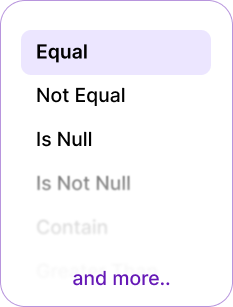
bit integrations all logic list

What is conditional logic in Bit Integrations?

Conditional logic is like setting rules for your integrations. Instead of running every time, Bit Integrations checks: Does this match my condition? If yes → it runs. If no → it skips or follows another path. It’s like telling your automation: only do this when it makes sense. Like traffic lights: green = go, red = stop.
bit integrations conditional logic process

 Why is Conditional logic important?

Conditional logic allows you to automate processes based on specific triggers and criteria, saving time and ensuring more efficient workflows.
Why is Conditional logic important 1
  • Prevents sending unnecessary or incorrect data.
  • Saves time by automatically filtering data.
  • Keeps CRM, email, and spreadsheets neat & clean.
  • Works even when multiple conditions apply.
  • Reduces errors caused by manual sorting.
  • Ensures only relevant information reaches each integration.
  • Protects system resources by avoiding unwanted triggers.

The 6 Pair Conditional Logic Options in Bit Integrations

Bit Integrations has a total of 12 powerful integration conditions, offering flexible options to automate tasks and enhance WordPress workflows.

Equal / Not Equal:

Works like an exact match filter. Send data only if a field equals (or doesn’t equal) a specific value.

For example:
If form fields equal “USA” → Send form entries to the USA-specific sheet or the USA-specific CRM list.
If form fields do not equal “USA” → Skip sending data to Sheets.
Conditional login equal or not equal

Contain / Not contain

Works like a keyword filter. Send form entries only if they mention a keyword.

For example:
If the form contains “Refund,” → Send form entries directly to the billing team via Telegram message.
If the form does not contain “Refund,” → Skip sending data to the billing team.
login contain or not contain

Is Null / Is Not Null

Checks if a field is empty or filled. Perfect for skipping incomplete entries.

For example: 
Is Null = Send data only when the field is left empty.
Is Not Null = Send data only when the field is filled.
login is null or is not null

Greater than (number) / Less than (number)

Works like a number filter, checks if a value is bigger or smaller than what you set.

For example: 
When an order amount is greater than $500, the customer’s details are automatically added to the VIP customer list in the CRM for follow-up.
logic greater than or less than

Greater than Equal (number) / Less than Equal (number)

Checks numbers with equality, helping you set precise
minimum or maximum limits.

For example: 
If a student’s quiz score is greater than or equal (80) → the system can send them A “congratulations, you passed!” email and add them to the next course.
If a student’s quiz score is less than or equal (50) → the system can send them a “Don’t worry, keep practicing,” the email, along with some extra study materials.
logic greater than equal or less than equal

Start With / End With

Works like a text filter, checks if a value begins or ends with what you set.

For example: 
When a phone number starts with “+44”, the contact details are automatically added to the UK customer list in the CRM.
When an email ends with “@edu”, the contact details are added to the student list in the LMS.
logic start with or end with

Try Some Effective Use Cases with Conditional Logic

With Conditional Logic, you can set automation rules for WordPress Forms, WooCommerce, LMS, and more, triggering actions when specific conditions are met.
WooCommerce order filtering
If the order value is greater $500, send the customer details to your Premium customer CRM lists.
woocommerce order filtering
Service Request Routing Based on Location
If someone fills out a form requesting service and their location is Florida, the form submission is automatically routed to the Florida-specific team. The team is notified via Telegram, and the form submission details are automatically added to Google Sheets for easy tracking.
serivce request routing
Order Follow-Up Based on Delivery Location
If an order is placed and the delivery location is Los Angeles, the order details are automatically routed to the Los Angeles Delivery Team. The team is notified via Telegram, and the order details are added to a Google Sheet for tracking and follow-up.
Order Follow-Up Based on Delivery Location
Service Confirmation Based on Appointment Type
If a customer fills out a form to confirm their service appointment and selects "Same-Day Service", the submission is automatically routed to the Emergency Service Team. The team is notified via Telegram, and the service details are added to Google Sheets for quick reference and scheduling.
Service Confirmation Based on Appointment Type
Send Discount Coupon After Purchase
If a customer places an order greater than $500, they automatically receive a thank-you email with a discount coupon for their next purchase.
Send Discount Coupon After Purchase

Tab Content

This is a basic text element.
Start Building Smarter Workflows

What Clients Say About Bit Integrations

Discover why WordPress users love Bit Integrations! Our clients rave about the ease of automating tasks, connecting apps, and streamlining workflows. See how Bit Integrations has transformed their WordPress experience with seamless automation and unmatched flexibility.
earthcrosser
Earthcrosser
This one that’s integrated into WP is just what I need. There are a lot of mature automation and integration tools out there but being one with WP is definitely a plus. The process for creating actions and triggers is similar to other tools. It is seamless and quick. Being a developer and an automation junkie, this is heaven-sent. I used the free version but it wasn’t enough so I got the Pro immediately. There were some issues activating my purchases but support was quick to diagnose and fix. How about that?! They have also have other WP products on their site. Try and have a look.
Overall I would highly recommend this plugin.It is an excellent addition to any WordPress website.
konalla
konalla
I discovered Bit Integrations a while back, but then I was using Zapier, which we know the cost will increase as your tasks increase. I have also used other competitors.
73wa
73wa
Bit Integrations is a powerful plugin that makes integrating various tools into WordPress a breeze. The user-friendly interface makes it easy to install and use and delivers on its promise of flawless integrations.
shraban2023
shraban2023
As an automation expert and web developer, I was looking for a solution to connect more tools together. It was tough and complex for me to do that. But when I saw Bit Integration, I just got hope. First, I tried the free version from the wp repository then I decided to go with the pro plan.

It is really saving brain energy now, and creating lots of automation with just the help of Bit Integration.
If you love connecting tools and merging functionalities then I highly recommend the plugin.
webreneur
Webreneur
Now I can integrate my apps plugins any time easily with just few clicks and save on my pockets without paying for expensive third party apps to do just simple integrations and send data wherever I want and whenever I need in autopilot.
73wa
Dashatp
The plugin is fantastic. I use the pro version, and the possibilities are unlimited. The support is outstanding, and I am thrilled to have this on my website. It’s easy to use, and there are tutorials for every integration.
earthcrosser
i00co
This plugin achieved my wishings as i was trying to integrate wpforms with zoho crm ,, there’s a free version which can do that job but i wanted the more pro to get GCLID from google ads and refer it in my CRM,, at the beginning i faced a problem with getting that happen but i contacted the support team and they helped me even when it was a weekend holiday and the develeoper ” Ovi” helped me by anydesk for more than 2 hours of working and he finalized the issue with his talent.
I recommend this plugin for everyone who wants to integrate anything with anything else...
Paullacey
Paullacey
I had a need to connect GiveWP to MailerLite and was suprised to see a native integration didn’t exist. I didn’t want to use Zapier as the prices seem to be going up and didn’t want to get locked in there.
Jesús Pernas
Jesús Pernas
En mi caso lo adquirí para enlazar los formularios de Elementor con mi plataforma de email marketing (en mi caso Acumbamail), pero la verdad es que tienen muchísimas automatizaciones compatibles que lo hacen una herramienta imprescindible.

Hello!!

How Can We Help You?

Documentation
Learn how to use Bit Integrations
YouTube Tutorials
Learn how to use Bit Integrations
Friendly Support
Have questions or need help?

Frequently Ask Questions

A few Integrations are available for free to download from WordPress.org. The Pro version includes more features and integrations. It is totally optional to buy the Pro version or pay us for anything.

We have a post/poll in Facebook, you can add your integration request on that post/poll.

Yes, we have affiliate/reseller program where you can earn a 30% commission from every sale. The commission will be for lifetime which means whenever the client upgrades the subscription you will earn a commission. Any developer, blogger, youtuber & freelancer can apply.

Please use our live chat support or email us at support@bitapps.pro. You can also join our facebook group and ask any questions.

No, you don’t need to write single line of code. We have connected all the API and hooks for integrations, you just need to connect/authenticate with your plugins and applications.

Bit Integrations footer logo
Fastest Integration with 316+ Trigger & Actions
multiple-logo