

 EN
EN  ES
ES  DE
DE  NL
NL  FR
FR  PT
PT  IT
IT  JA
JA 



Free WordPress Automation Plugin
99 free triggers across 8 WordPress plugins connect to 160 free platforms, covering 383 individual actions. No code, no per-task billing.
Check Free Version
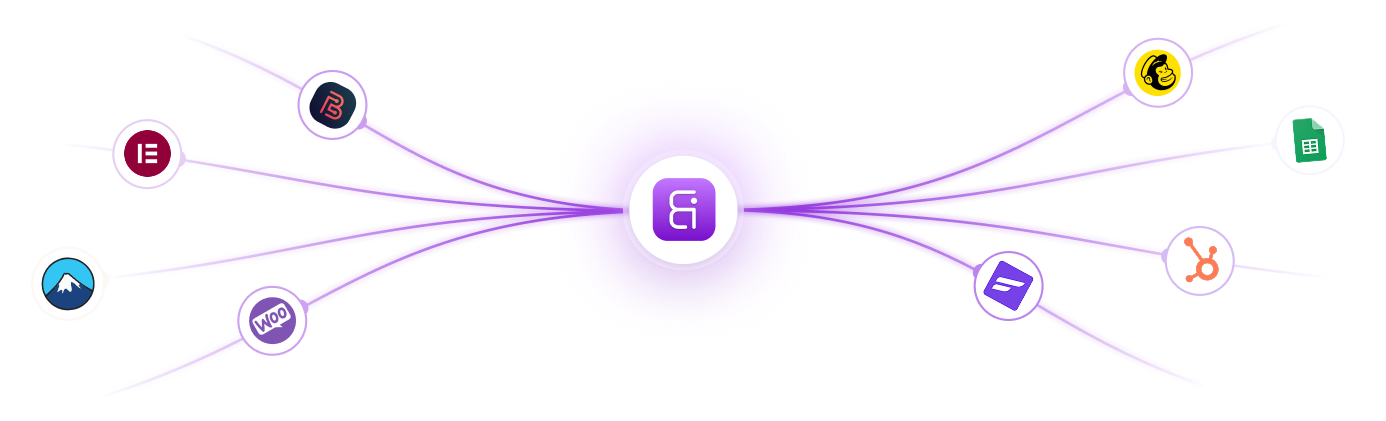

Connect 8 WordPress Plugins to 160 Platforms for Free
The free version of Bit Integrations sends data from Bit Form, WPForms, Contact Form 7, Elementor Form, WooCommerce, Bit Social, Bit Assist, and Bit CRM to 160 platforms at no cost.
160 Popular Platforms

Google Sheets

Google Drive

WhatsApp

WooCommerce

Salesforce

Slack

HubSpot

Google Calendar

Mailchimp

Telegram

Discord

Webhooks

Notion

Airtable

Zapier

Asana

Trello

Twilio

ClickUp

ActiveCampaign

Zoho CRM
Free Triggers and Actions in Bit Integrations
One plugin fires several different events. One platform performs several different actions.
On your WordPress site
99
Triggers
Across the 8 free trigger plugins. Form submitted, order placed, lead created, post published.
In your destination platforms
383
Actions
Across the 160 free platforms. Add row, create contact, send message, tag user.
Any of the 99 triggers can be connected to any of the 383 actions, with no paid plan required.


Zapier

Zendesk Sell

Zoho CRM

Zoho Bigin

Mailchimp

Trello

Dropbox
What is Bit Integrations?
Bit Integrations is a no-code automation plugin for WordPress, with a free tier covering 99 triggers across 8 plugins and 383 actions across 160 platforms.
How It Works
Bit Integrations links a WordPress plugin as a trigger to an action on a connected platform. When a form is submitted, an order is placed, or a user registers, the plugin maps the field data and sends it to the destination app. Configuration happens inside the WordPress admin through a visual field-mapping interface, with no code required.

What You Can Do With It
- Send form entries to a CRM, email marketing tool, or spreadsheet
- Send WooCommerce order and customer data to external platforms
- Trigger workflows from LMS enrolments and course completions
- Create WooCommerce customers, orders, or products from a form submission

How Bit Integrations Works in 3-Steps
Bit Integrations works with Form plugins, WooCommerce, LMS, membership, and CRM tools can all act as data sources. Each sends data to a destination app such as a CRM, spreadsheet, or messaging tool.
02
Pick an Action
Choose the destination app that receives the data. 160 platforms is available on the free tier, including CRMs, email marketing services, spreadsheets, and messaging tools.

03
Match the Fields
Map each field from the source plugin to its matching field in the destination app. A submitted form name and email address can land directly in the CRM contact record you select.

Why Automate WordPress Site?
Moving data between WordPress plugins and external apps by hand takes time and introduces errors. Automation transfers each record as soon as the event happens.
1
2
3
4
5
Who Can Benefit With Bit Integraitons Free Version?
8 WordPress plugins work as triggers on the Bit Integrations free tier. Data from any of them can be sent to any connected destination app at no cost.
WooCommerce store owners
New orders, order status changes, and new customer records each start a workflow. Send them to HubSpot, Google Sheets, or an accounting tool. WooCommerce also works as a destination, creating customers and orders from other triggers.

Elementor Form users
Submissions from the Elementor form widget route to Google Sheets, HubSpot, or Mailchimp without adding a separate connector plugin. Field mapping happens in the WordPress admin.

WPForms users
Every WPForms submission can go to Google Sheets, Mailchimp, Salesforce, or Slack. Works with WPForms Lite, no WPForms licence tier required for the trigger.

Contact Form 7 users
Contact Form 7 entries transfer to your chosen destination app alongside the plugin's standard email notification. Bit Integrations reads CF7 field tags directly, so no changes to the form are needed.

Bit Social users
A post published to any of 13 social networks, including Facebook, LinkedIn, Instagram, and X, can send its details to Google Sheets or a CRM. Useful for logging published content against a campaign record.

Bit CRM users
Lead and contact events in Bit CRM, creation, updates, conversions, and tag changes, send the record to a connected app. Route a converted lead into Google Sheets or an email marketing list.

Bit Assist users
Bit Assist connects through a submitted webhook, which passes the captured form data into a CRM, email marketing service, or spreadsheet.

See All Available Trigger Platforms
What Bit Integrations Pro Adds
Everything above is free. Pro adds the remaining platforms and advanced features, with a one-time lifetime licence instead of a yearly subscription.
Buy Now
1
Access to every supported integration, not just the free set
2
Custom triggers and actions for platforms with no native support
3
Incoming webhooks, so external services can push data into WordPress
4
CRM utilities for personalisation - add a tag, add a user to a segment, update contact fields
Free Pro Which Plan Is Right for You?
Here’s a quick look at what you get with Bit integrations Free and Pro Plan.
| Features | Free | |
|---|---|---|
| Trigger Plugins | 8 | All supported trigger plugins |
| Triggers | 99 | All available triggers |
| Action platforms | 160 | All available action platforms |
| Actions | 383 | All available actions |
| Workflows | Unlimited | Unlimited |
| Conditional logic | Included | Included |
| Custom triggers and actions | Not available | Available |
| Incoming Webhooks | Not available | Available |
| Outgoing webhooks | Available for all free triggers | Available for all triggers |
| Support | Community forum | Dedicated Support |
What Clients Say About Bit Integrations
Discover why WordPress users love Bit Integrations! Our clients rave about the ease of automating tasks, connecting apps, and streamlining workflows. See how Bit Integrations has transformed their WordPress experience with seamless automation and unmatched flexibility.

Earthcrosser
This one that’s integrated into WP is just what I need. There are a lot of mature automation and integration tools out there but being one with WP is definitely a plus. The process for creating actions and triggers is similar to other tools. It is seamless and quick. Being a developer and an automation junkie, this is heaven-sent. I used the free version but it wasn’t enough so I got the Pro immediately. There were some issues activating my purchases but support was quick to diagnose and fix. How about that?! They have also have other WP products on their site. Try and have a look.
Overall I would highly recommend this plugin.It is an excellent addition to any WordPress website.
Overall I would highly recommend this plugin.It is an excellent addition to any WordPress website.

konalla
I discovered Bit Integrations a while back, but then I was using Zapier, which we know the cost will increase as your tasks increase. I have also used other competitors.

73wa
Bit Integrations is a powerful plugin that makes integrating various tools into WordPress a breeze. The user-friendly interface makes it easy to install and use and delivers on its promise of flawless integrations.

shraban2023
As an automation expert and web developer, I was looking for a solution to connect more tools together. It was tough and complex for me to do that. But when I saw Bit Integration, I just got hope. First, I tried the free version from the wp repository then I decided to go with the pro plan.
It is really saving brain energy now, and creating lots of automation with just the help of Bit Integration.
If you love connecting tools and merging functionalities then I highly recommend the plugin.
It is really saving brain energy now, and creating lots of automation with just the help of Bit Integration.
If you love connecting tools and merging functionalities then I highly recommend the plugin.

Webreneur
Now I can integrate my apps plugins any time easily with just few clicks and save on my pockets without paying for expensive third party apps to do just simple integrations and send data wherever I want and whenever I need in autopilot.
Dashatp
The plugin is fantastic. I use the pro version, and the possibilities are unlimited. The support is outstanding, and I am thrilled to have this on my website. It’s easy to use, and there are tutorials for every integration.
i00co
This plugin achieved my wishings as i was trying to integrate wpforms with zoho crm ,, there’s a free version which can do that job but i wanted the more pro to get GCLID from google ads and refer it in my CRM,, at the beginning i faced a problem with getting that happen but i contacted the support team and they helped me even when it was a weekend holiday and the develeoper ” Ovi” helped me by anydesk for more than 2 hours of working and he finalized the issue with his talent.
I recommend this plugin for everyone who wants to integrate anything with anything else...
I recommend this plugin for everyone who wants to integrate anything with anything else...

Paullacey
I had a need to connect GiveWP to MailerLite and was suprised to see a native integration didn’t exist. I didn’t want to use Zapier as the prices seem to be going up and didn’t want to get locked in there.

Jesús Pernas
En mi caso lo adquirí para enlazar los formularios de Elementor con mi plataforma de email marketing (en mi caso Acumbamail), pero la verdad es que tienen muchísimas automatizaciones compatibles que lo hacen una herramienta imprescindible.
konalla
I discovered Bit Integrations a while back, but then I was using Zapier, which we know the cost will increase as your tasks increase. I have also used other competitors.
73wa
Bit Integrations is a powerful plugin that makes integrating various tools into WordPress a breeze. The user-friendly interface makes it easy to install and use and delivers on its promise of flawless integrations.
Paullacey
I had a need to connect GiveWP to MailerLite and was suprised to see a native integration didn’t exist. I didn’t want to use Zapier as the prices seem to be going up and didn’t want to get locked in there.
Jesús Pernas
En mi caso lo adquirí para enlazar los formularios de Elementor con mi plataforma de email marketing (en mi caso Acumbamail), pero la verdad es que tienen muchísimas automatizaciones compatibles que lo hacen una herramienta imprescindible.
shraban2023
As an automation expert and web developer, I was looking for a solution to connect more tools together. It was tough and complex for me to do that. But when I saw Bit Integration, I just got hope. First, I tried the free version from the wp repository then I decided to go with the pro plan.
It is really saving brain energy now, and creating lots of automation with just the help of Bit Integration.
If you love connecting tools and merging functionalities then I highly recommend the plugin.
It is really saving brain energy now, and creating lots of automation with just the help of Bit Integration.
If you love connecting tools and merging functionalities then I highly recommend the plugin.
Dashatp
The plugin is fantastic. I use the pro version, and the possibilities are unlimited. The support is outstanding, and I am thrilled to have this on my website. It’s easy to use, and there are tutorials for every integration.
Webreneur
Now I can integrate my apps plugins any time easily with just few clicks and save on my pockets without paying for expensive third party apps to do just simple integrations and send data wherever I want and whenever I need in autopilot.
i00co
This plugin achieved my wishings as i was trying to integrate wpforms with zoho crm ,, there’s a free version which can do that job but i wanted the more pro to get GCLID from google ads and refer it in my CRM,, at the beginning i faced a problem with getting that happen but i contacted the support team and they helped me even when it was a weekend holiday and the develeoper ” Ovi” helped me by anydesk for more than 2 hours of working and he finalized the issue with his talent.
I recommend this plugin for everyone who wants to integrate anything with anything else...
I recommend this plugin for everyone who wants to integrate anything with anything else...
Frequently Ask Questions
The free tier includes WPForms, Contact Form 7, Bit Form, Elementor, WooCommerce, Bit Social, Bit Assist, and Bit CRM. Each one exposes its own events, such as form submission, order status change, or lead creation.
Yes. A single trigger can be mapped to multiple actions. But you will need to create separate integrations for each trigger so that one form submission can reach a CRM, a spreadsheet, and an email tool at once.
Each field from the source plugin is matched to a field in the destination app through a visual mapping interface in the WordPress admin. The map is defined once and applied to every record afterward.
Yes. Conditional logic evaluates incoming data against rules you set and runs the action only when those conditions are met. This is available on the free tier.
Outgoing webhooks work with every free trigger, so WordPress data can be posted to any external endpoint. Incoming webhooks require the Pro version.
It runs at the plugin level rather than the theme level, so it works independently of your theme. Page builder forms are supported where the builder is one of the supported trigger plugins, including Elementor.
Bit Integrations records the failure and can email you an alert for each failed run, provided you enable failure alerts before creating the integration. Failed runs can be re-executed from the timeline.
The timeline section shows the success and failure history for every integration, including on the free tier. You can review individual runs there and re-execute failed ones.
Bit Integrations supports custom actions, custom API connections, and outgoing webhooks on the free tier, so an unsupported destination can still receive data. Custom triggers and incoming webhooks require the Pro version.
The integration runs on the same request that fires the trigger, with no cron job or queue in between, so data reaches the destination app without delay. The plugin adds no scheduled background processing to the site.


