

 EN
EN  ES
ES  DE
DE  NL
NL  FR
FR  PT
PT  IT
IT  JA
JA 


Elementor Form Integration with 160 Platforms for Free Using Bit Integrations
Send Elementor Form entries to Google Sheets, Mailchimp, HubSpot, and Slack automatically. Works with your existing Elementor forms, no extra add-on or connector needed.
Get Started Free


160+
Platforms
Data Sent!
What you get free with Elementor Forms?
An Elementor form submission can be sent to 160 action platforms for free, which together expose 383 individual actions. Bit Integrations reads your Elementor form fields directly, so mapping needs no changes to the form itself.
Your trigger
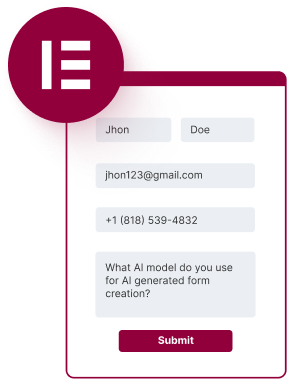
Elementor form
Every submission starts a workflow

The form widget requires Elementor Pro. Bit Integrations connects it to 160 platforms at no additional cost.
Your destinations
383
actions
Across 160 free platforms


And
160
More

Stop Copying Elementor Form Entries by Hand
Every Elementor form submission lands in your CRM, spreadsheet, or email tool automatically, mapped field by field.
Without automation, each Elementor form entry gets copied by hand into your CRM, your spreadsheet, and your email list. Three destinations, three chances to mistype an address or miss a lead entirely.

Bit Integrations sends each Elementor submission straight to Google Sheets, Mailchimp, HubSpot, Slack, or any of 160 supported free platforms. No coding, no per-task billing, no cap on submissions.

Connect your Elementor form with external platforms in just 3 simple steps
Easily automate your Elementor form entries to external apps - No coding hassle!
01
Choose the Elementor form as the trigger

02
Pick your desired app as an action and provide app details

03
Map the Elementor form fields with the destination app fields.

What Bit Integrations Does for Elementor Forms
Bit Integrations connects Elementor form submissions to your CRM, spreadsheet,
and email marketing tools, with no cap on submissions and no per-task billing.
and email marketing tools, with no cap on submissions and no per-task billing.

Try Popular Elementor Form Workflows with Leading Platforms for free
Discover the power of automating your Elementor forms with the most popular apps.
Learn How to Connect Elementor Forms with Google Sheets and More
Watch our step-by-step tutorials and learn how to unlock the full potential of Elementor Forms integrations, totally free!
Explore more integrations
Frequently Ask Questions
Simple in Bit Integrations! After choosing your Elementor form as your trigger, next, pick your desired email tool, such as Mailchimp or ConvertKit, as an action, provide app details, and map the fields.
Yes, you can automatically send your Elementor form entries using Bit Integrations. Bit Integrations supports extensive CRM integrations, so you can easily send your Elementor form data to your favorite CRM systems.
With Bit Integrations, sending Elementor form data to Google Sheets is a simple process. Simply select the Elementor form as a trigger, select Google Sheets as your action, provide Google client ID and Client Secret, and map the fields between your Elementor form fields to your Google Sheet corresponding column.
There is no form submission limitation in Bit Integrations. Using Bit Integrations, you can send unlimited Elementor form data to your favorite platform, even in the free version of Bit Integrations.
Yes, Bit Integrations allows you to integrate Elementor forms with webinar tools like Zoom, even in the free version. When users submit the form, their details can be automatically sent to Zoom for registration. You’ll need to connect Zoom via the API and map the necessary fields (such as name and email) to the Zoom registration form fields.
Yes! Using Bit Integrations, you can easily connect your Elementor form with Airtable for free.
Absolutely! Bit Integrations can connect your Elementor forms to Zendesk or Freshdesk for creating support tickets automatically. When a user submits a form, their inquiry can be sent directly to your support desk as a new ticket. You can also map form fields like issue description, name, and contact information to the corresponding fields in the support system.


