




Integrate WooCommerce to 160 Platforms for Free with Bit Integrations
Send order, subscription, and customer events to Google Sheets, Mailchimp, HubSpot,
and Slack automatically, no coding, no per-task billing.
and Slack automatically, no coding, no per-task billing.
Get Started Free


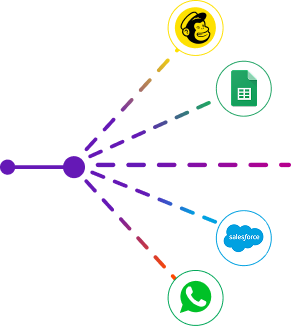
160+
Platforms
Data Sent!
Every WooCommerce Event You Can Automate
Bit Integrations supports 27 WooCommerce triggers, 14 of them free, plus 5 free WooCommerce actions. Use WooCommerce
to start a workflow, or as the destination to create customers, orders, products, and subscriptions from any other trigger.
to start a workflow, or as the destination to create customers, orders, products, and subscriptions from any other trigger.

A new customer is created
An Order is edited
A customer is edited
An Order is Deleted
A customer is deleted
An order status changes to a specific status
A Product is Created
An order with a specific product is created
A Product is edited
An order with a specific category is created
A Product is Deleted
A user reviews a product
An Order Is Created
A user purchases a variable product with a selected variation
Creates a customer
Creates a product
Creates an order
Changes an order status
Cancels a subscription
How WooCommerce Automation Works in Practice
Three WooCommerce workflows built in Bit Integrations; order to Google Sheets and Telegram, new customer to your CRM, and product review to Slack.
WooCommerce Event: An order is created
A customer places an order → order details are instantly added to Google Sheets, and an instant alert is sent to Telegram with order details.
WooCommerce Event: A new customer is created
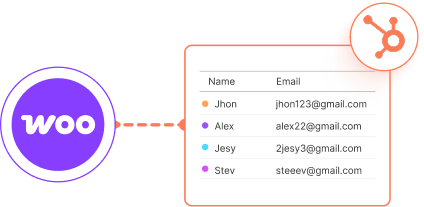
A new customer is created → Customer details are automatically added to HubSpot or your prepared CRMs.
WooCommerce Event: A user reviews a product
When a shopper reviews a product, the review and shopper details are automatically stored in Google Sheets to analyze customer feedback.
Use WooCommerce as a Destination - Create Records from Any triggers
Create customers, orders, and products, change order status, or cancel a subscription in WooCommerce, triggered by a submission from Bit Form, WPForms, Contact Form 7, or Elementor Forms.
WooCommerce Event: Automatically Add New Customers
When a user submits a form on your site, WooCommerce will instantly create a new customer account for them, no extra steps required.
WooCommerce Event: Creates a product
When you upload a new product via the product submission form, WooCommerce will automatically add it to your product catalog for easy management.
What Bit Integrations does for WooCommerce
14 free WooCommerce triggers and 5 free actions, connecting to 160 platforms. No cap on submissions, no per-task billing.
Fully no-code integrations
Easily connect WooCommerce with other apps using a visual builder, eliminating the need for any coding skills or technical expertise.

14 popular free WooCommerce triggers
Order, customer, product, and review triggers, plus 5 actions that create records in WooCommerce.

Ease of Use: User-friendly interface
Simple, 3-step setup that’s easy for both beginners and developers, no coding or complex set-up required.

Outgoing webhooks
Send order and customer data to any endpoint, with no cap on requests.

No per-task billing
Send as much WooCommerce data as your store generates. Pricing doesn't change with volume.

Custom action support
Reach platforms with no built-in action by defining the endpoint, headers, and payload yourself.

Unlimited Data Send
Send unlimited WooCommerce data to 160 platforms.

Custom API support
Easily integrate with any API for cusotmize workflow.

You can also connect these popular forms with WooCommerce for free (when WooCommerce is your action)
Explore top free WooCommerce Integrations with Bit Integrations
Explore the top free WooCommerce integrations with Bit Integrations, featuring easy connections to popular platforms that help you manage your store, improve your processes, and engage customers
Frequently Ask Questions
Bit Integreations offers 14 popular WooCommerce events with 160 platforms for free.
Yes, you can automate product updates in WooCommerce using Bit Integrations. For example, if you're managing stock levels, prices, or product details across multiple platforms, Bit Integrations can sync these changes in real-time between WooCommerce and other systems.
Yes! Bit Integrations provides outgoing webhooks for free, so you can integrate WooCommerce with QuickBooks by using outgoing webhooks.
Yes! Klaviyo is available in Bit Integrations. Choose Klaviyo as your action when WooCommerce is your trigger & Klaviyo is also free with WooCommerce.
Yes! Using Bit Integrations, you can integrate WooCommerce with MemberPress.
Yes! Using Bit Integrations, you can integrate your WooCommerce store with WhatsApp or Slack.
No! Bit Integrations offers unlimited data sending, even in the free version.


