Are you tired of spending too much time on repetitive tasks while managing your WordPress site?
WordPress continues to grow in popularity every year. And these days, workflow automation is essential if you want to stop drowning in repetitive tasks.
Things like updating content, handling form submissions, and managing leads can quickly pile up. But here’s the good news: you don’t have to do it all manually. WordPress automation plugins can help you save time and make your work easier. Keep reading to find the best solutions that will fit your needs!
In 2026, there are some really solid options out there for WordPress users. So in this blog, we’ll take a closer look at the best 8 WordPress Automation Plugins in 2026. exploring their key features and how they can simplify your website management.
WordPress automation plugins can revolutionize the way you manage your website, saving you time and improving efficiency. The following comparison highlights the top 8 plugins to help you smooth your workflow.
| Plugin | Free Version Highlight | Key Features | Starting Price (Annual / Lifetime) | Average Rating in WordPress |
| Bit Integrations | Free 7 triggers with 165+ action + Unlimited workflow | Conditional logic, real-time sync, webhooks, APIs, Easy 3-step setup | Plans start at $39/year and $109 for lifetime | 4.9/5 |
| Zapier for WordPress | 100 tasks/month, basic workflow building | Multi-step, AI tools, vast apps | For 10k tasks, $129/month, or $1548/year | 2.3/5 |
| Bit Flows | 9 triggers + 15 actions with unlimited workflow | Drag-and-drop, AI agents, routers, condition delays, unlimited tasks | $119/year (Starter) / $189 Life-time (Starter) | 4.9/5 |
| OttoKit | 250 tasks per month | AI agents, conditions | $108/year (starter) lifetime from $499, limited tasks | 4.9/5 |
| WPFusion | Basic CRM sync | Tag personalization, memberships | $297/year (Personal) / $999 Life-time | 5/5 |
| Uncanny Automator | Unlimited WordPress to WordPress recipe | Scheduling, conditions, delays | $149/year (starter) – no lifetime | 4.9/5 |
| WPWebhooks | Basic incoming and outgoing webhooks | Data manipulation, security | $149/year (Starter) – no lifetime | 4.6/5 |
| AutomatorWP | Core triggers/actions | Bulk updates, filters, webhooks | $149/year (Personal Pass, 2 sites) – no lifetime | 4.8/5 |
These plugins offer a variety of features tailored to different automation needs. Let’s break down each option to understand its unique strengths and help you choose the right fit for your WordPress site.
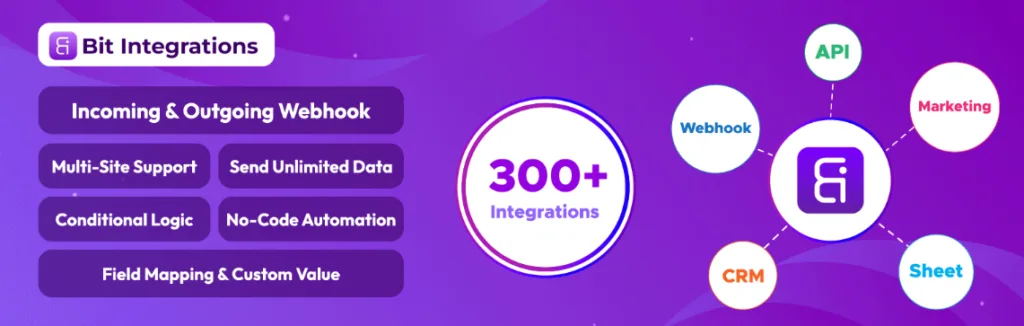
Bit Integrations is the best WordPress automation plugin for WordPress in 2026. It lets you instantly connect your desired WordPress plugins to over 320 external tools.
These include CRMs, SpreadSheets, Google Sheets, email marketing tools, messaging apps, Project management software, and beyond. Enjoy unlimited integrations, tasks, and zero extra fees.
Build powerful workflows in just three simple steps: pick a trigger, choose an action, and map your fields. Add conditional logic, custom webhooks, and even custom PHP actions for complete flexibility.
WordPress users, agencies, eCommerce stores, course creators, small business owners, and marketers who want maximum integrations and zero restrictions. Especially if you use multiple plugins like forms, LMS, or membership plugins, and hate paying per task.

Zapier enables no-code automation for WordPress by connecting it to over a thousand apps and AI tools, allowing users to create, share, and monitor posts without manual effort through visual workflow builders.
Bloggers, website maintainers, and marketers who want to automate content creation, sharing (like, to social media like Facebook, Slack, Discord), and monitoring in WordPress to save time on repetitive tasks.
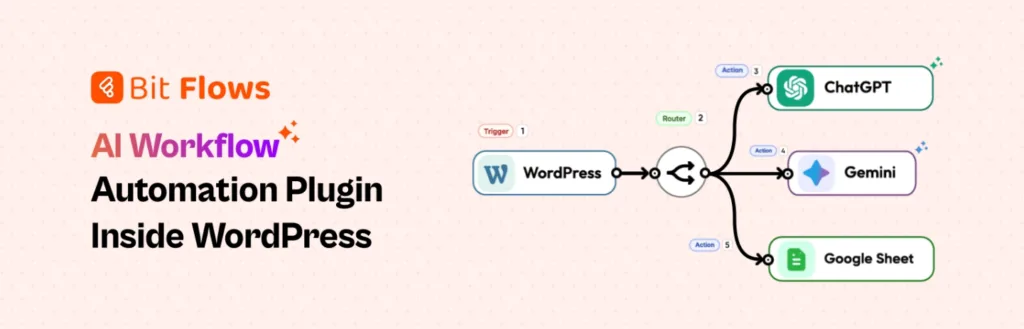
Bit Flows brings powerful AI agents and next-level automation straight into your WordPress dashboard. Create intelligent, self-hosted workflows that think, decide, and act, all powered by a beautiful drag-and-drop builder.
Bit Flows connects 300+ apps and services. It routes data with smart conditional logic and loops through records with iterators. You can delay actions and call AI models like OpenAI, Google Gemini, or Claude directly in your flows. These models help generate content, analyze data, make decisions, classify leads, write responses, and more.
Because everything runs on your own server, you get complete data privacy, unlimited workflows/steps/tasks, no per-task fees, and detailed real-time logging to monitor and debug your AI agents easily.
WordPress users who want powerful, private, AI-enhanced automation without monthly SaaS bills. Ideal for marketing teams, eCommerce stores, support desks, SaaS builders, and anyone running complex multi-app workflows directly from their WordPress site.
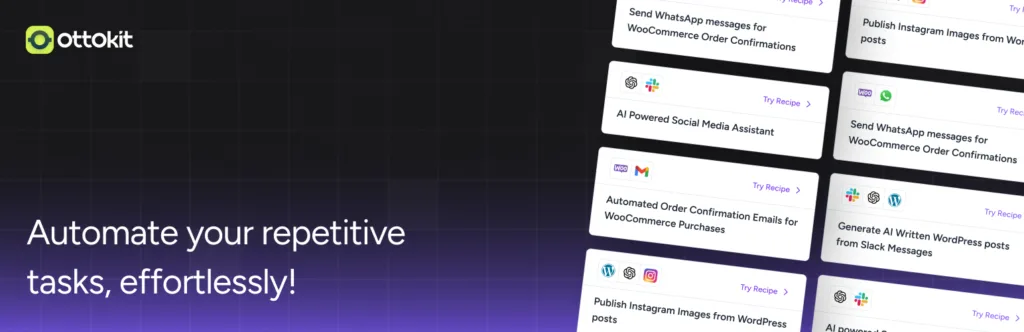
OttoKit is a no-code WordPress automation platform that enables users to visually build automated workflows and AI agents, transforming manual processes into scalable systems.
It’s designed as a WordPress automation plugin; it connects to hundreds of apps, supports team collaboration, and integrates AI for tasks like content generation and lead management, all without requiring coding skills.
Agencies and professionals automating client workflows, eCommerce entrepreneurs managing orders and customer data, community builders and course creators handling enrollments and engagement, and general users organizing leads and form submissions through WordPress integrations.

WP Fusion is a WordPress automation plugin that connects WordPress plugins and sites to CRMs and marketing automation platforms. And it enables tag-based triggers, user data syncing, and personalized site experiences based on CRM updates.
WordPress site owners using eCommerce platforms, membership sites, online courses, or lead generation tools. These users need to automate CRM integrations without developer help. This is especially useful for managing memberships, online learning, eCommerce, or lead generation workflows.
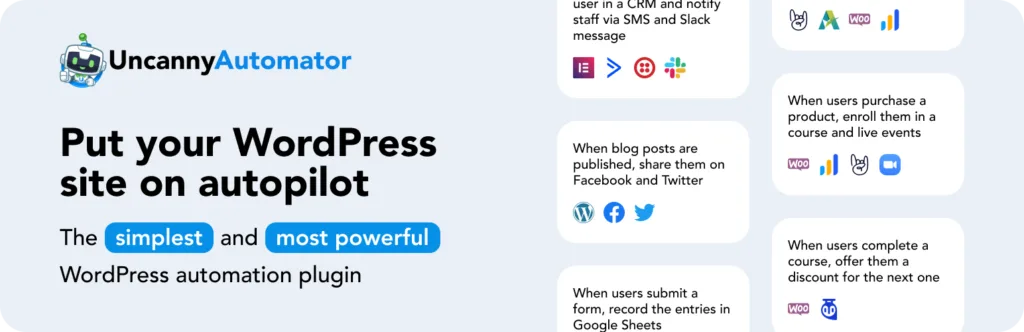
Uncanny Automator is a WordPress automation plugin that lets you create no-code “recipes” to connect over 210 plugins and apps. You can trigger actions based on events, like publishing a blog post.
It helps with tasks like sharing on social media or sending notifications. Plus, it supports dynamic content, delays, scheduling, and conditions. This makes site management easier and cuts down on development costs.
WordPress site owners with eCommerce, memberships, eLearning, or social media needs. It’s also for those who want to automate routine tasks, replace multiple plugins, reduce custom development, and save costs on sites with many plugins or integrations.
WP Webhooks is a WordPress automation plugin. It lets you create workflows to connect plugins, apps, and external services. You can use triggers and actions with a no-code interface to automate tasks like sending notifications, creating orders, or calling webhooks. It supports over 100 integrations to increase site efficiency.
WordPress developers, freelancers, solopreneurs, agencies, and teams managing multiple sites. They need to automate integrations between WordPress and external tools, like e-commerce platforms, membership systems, or notification services. This helps save time and improve efficiency in client work or site management.
AutomatorWP is a WordPress automation plugin that helps you connect plugins, sites, and apps to create automated workflows. You don’t need coding skills. It uses a simple trigger-action system: when a specific event happens (like a user making a purchase), it triggers an action (like sending an email or adding a membership).
With over 200 integrations, including WooCommerce, LearnDash, and Zapier, AutomatorWP makes it easy to automate your WordPress site and save time.
Key Features:
WordPress site owners, developers, and businesses who want to automate tasks across platforms like e-commerce (WooCommerce), LMS, membership sites, and marketing tools. It’s perfect for anyone looking to automate processes like user interactions, course enrollments, discounts, or data syncing without needing coding skills.
There are plenty of great WordPress automation plugins in 2026. Choosing the right one depends on your needs. Consider things like the size of your site, the integrations you need, your budget, and whether you care about features like AI, unlimited tasks, or CRM syncing. Let’s break it down by common use cases to help you make the best choice.
Consider starting with free versions where available (most have them) to test compatibility with your setup. Also, check ratings and support options; higher-rated ones like Bit Integrations (4.9/5) often indicate reliable community backing. Ultimately, map your top 3-5 must-have features against the quick comparison table above to narrow it down.
Among the best 8 WordPress automation plugins, Bit Integrations is my top pick for users who need unlimited workflows and tasks.
Its biggest edge is the truly unlimited usage model, no task limits, data caps, or per-action fees that can quickly inflate bills on busy sites. This fixes frustrations common in tools like Zapier (usage-based, often $299+/year equivalent for heavier use) or OttoKit (task-scaled with monthly caps).
Pricing makes it one of the most affordable WordPress automation plugin, for the value: Starter starts at just $39/year, and lifetime access is around $109 for a single site, far lower than competitors:
Bit Integrations offers 320+ integrations, including CRMs, Google Sheets, email apps, project tools, and more. It’s easy to set up with a simple three-step builder: trigger → action → field mapping.
You also get conditional logic, custom triggers, webhooks, and PHP actions. It’s perfect for complex setups with form builders, LMS, eCommerce, or memberships that need real-time syncing without coding.
If you’re looking for AI workflows or AI agents, like content generation, smart decisions, or lead classification, Bit Flows is a great option. It offers unlimited tasks, self-hosted privacy, and direct AI model calls (OpenAI, Gemini, Claude, Perplexity). The Starter plan starts at $119/year or $189 for lifetime access.
For broad, everyday integrations that scale affordably and reliably without monthly surprises, Bit Integrations often emerges as the practical, budget-friendly pick.
In conclusion, automating your WordPress site can make a big difference. The right automation plugin will help you save time and focus on what matters most. Whether you need simple workflows, powerful integrations, or AI features, there is a plugin for you.
Choose the one that fits your needs and start automating today. Your future self will appreciate the extra time and efficiency.
Bit Integrations tops my list for its straightforward approach and unlimited features at an affordable price. Try out the free versions of Bit Integrations to see what works best for your site. These tools can save you time and let you focus on what matters most, like growing your audience or improving your content.
Bit Integrations starts at $39/year for the Starter plan, no caps on workflows or data, which beats out pricier options like Zapier.
Yeah, Bit Flows and OttoKit do think smart agents that handle decisions or generate content using models like OpenAI or Claude.
Bit Integrations or Bit Flows, they handle WooCommerce orders, syncing to CRMs or Google Sheets without extra fees.
Bit Integrations! its super straightforward 3-step setup (pick trigger, choose action, map fields) plus clear documentation makes it a total breeze even if you’re brand new to this stuff.
A few stand out. Bit Flows has AI agents, letting you call OpenAI or Claude right in flows for content gen or decisions. OttoKit also has AI agents for autonomous tasks, great if basic triggers aren’t enough.
Yes, you can automate order confirmations, inventory updates, customer notifications, and more with the right automation plugin.
Yes, most automation plugins offer a no-code interface, making it easy to set up triggers and actions without needing technical skills.
Yes, plugins like Bit Integrations allow you to connect your WordPress site to over 300+ apps and services, such as CRMs, email tools, and project management software.
Yes, many WordPress automation plugins offer free versions with limited features, which you can try before upgrading to the premium version.






 EN
EN  ES
ES  DE
DE  NL
NL  FR
FR