Looking for Gravity Forms CRM integrations doesn’t mean you have to upgrade your Gravity Forms plan just to unlock a few CRM add-ons. If you’re using Gravity Forms Basic, upgrading just to connect your forms with a CRM can feel like paying for more than you actually need—especially when there’s a more flexible and affordable way to do it.
With Bit Integrations, you can connect Gravity Forms with 30+ CRMs and go far beyond CRM automation. You can also send Gravity Forms data to email marketing tools, LMS platforms, Google Sheets, project management apps, webhooks, and more — all from one simple automation plugin.
So, before upgrading Gravity Forms just for CRM access, it’s worth considering a smarter option: use one automation plugin to handle your Gravity Forms CRM integrations and many other integrations at a lower cost.
You don’t need to upgrade to Gravity Forms Pro, which is $159, just to connect your forms with a CRM. With Bit Integrations, Gravity Forms Basic users can connect to 30+ CRMs like Hubspot, Zoho CRM, Pipedrive, Salesforce, and many other platforms like email platforms, Google Sheets, and more at a much lower cost—starting from $35/year for one site, with unlimited site and lifetime options available too.
Gravity Forms handles CRM connections through its official add-ons. Each add-on is built for a specific CRM and is bundled with certain plans. Here is what the native support looks like:
That list covers the most common use cases for many teams. But if your business runs on Pipedrive, GoHighLevel, Freshsales, Copper CRM, or anything outside those options, you will not find a native Gravity Forms add-on for it. And that is where most users start looking for alternatives. And this alternative name could be Bit Integrations—a solid integration and automation plugin with 150+ five-star reviews and 25k+ active users.
Bit Integrations is a WordPress automation plugin that connects your existing plugins and tools without requiring you to change your current setup. It works as a connector between Gravity Forms and hundreds of external apps, including 30+ CRMs.
You install it on your WordPress site alongside Gravity Forms. It picks up form submissions as a trigger and sends the data to whatever CRMs you configure. No coding needed, and no changes to your Gravity Forms plan.
Bit Integrations supports 335+ triggers and actions across CRMs, email marketing tools, project management apps, spreadsheets, WordPress Forms plugins, and more. For the purpose of this blog, we are focusing specifically on its CRM integrations with Gravity Forms.
Here is the full list of CRMs you can connect to Gravity Forms through Bit Integrations, grouped by category to make it easier to find what you need.
These are widely used CRMs that larger teams and growing businesses typically run on:
Built primarily for sales pipelines and deal tracking:
These combine CRM features with invoicing, client portals, or project management:
These run directly inside your WordPress dashboard, which keeps everything in one place:
A step above contact management, these tools focus on relationships and project-linked deals:
Footnote: You can find all of the CRM lists in the All Integrations list of Bit Integrations.
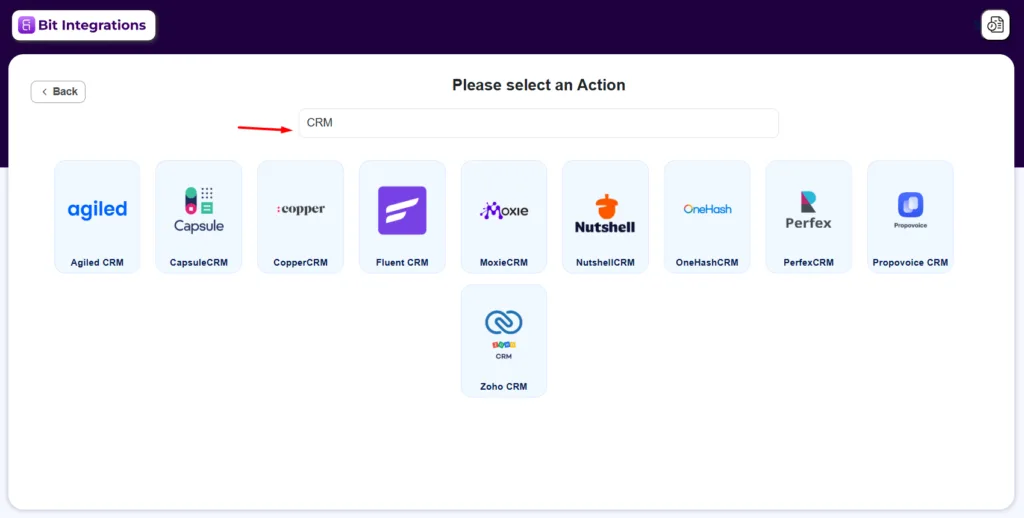
Setting up the Gravity Forms integration is straightforward. Here is how the process works from start to finish.

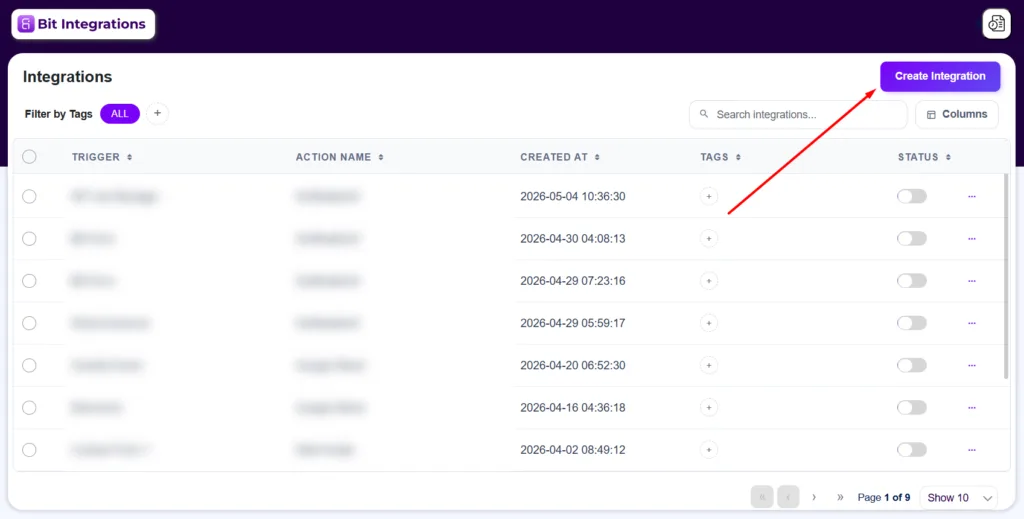
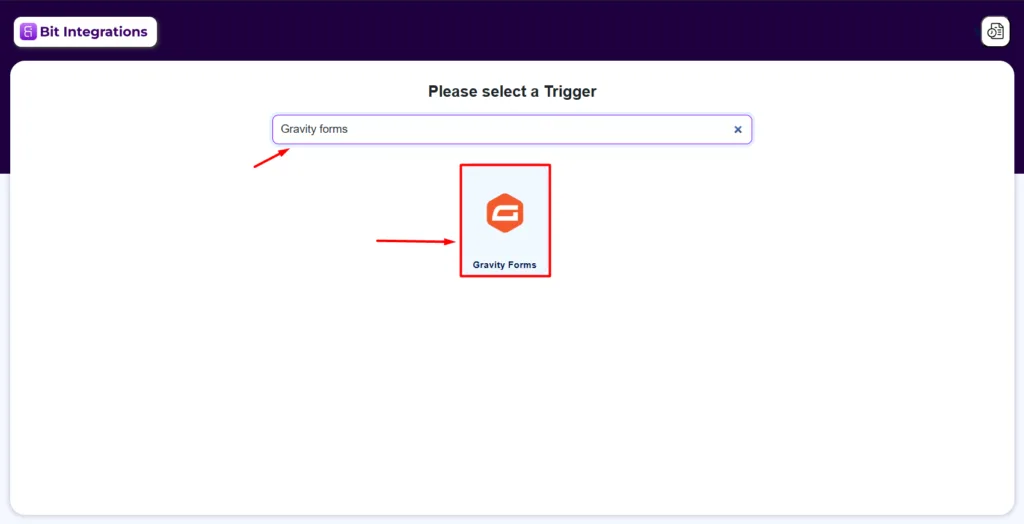
You can find step-by-step setup guides for all CRM integrations in the Bit Integrations documentation.
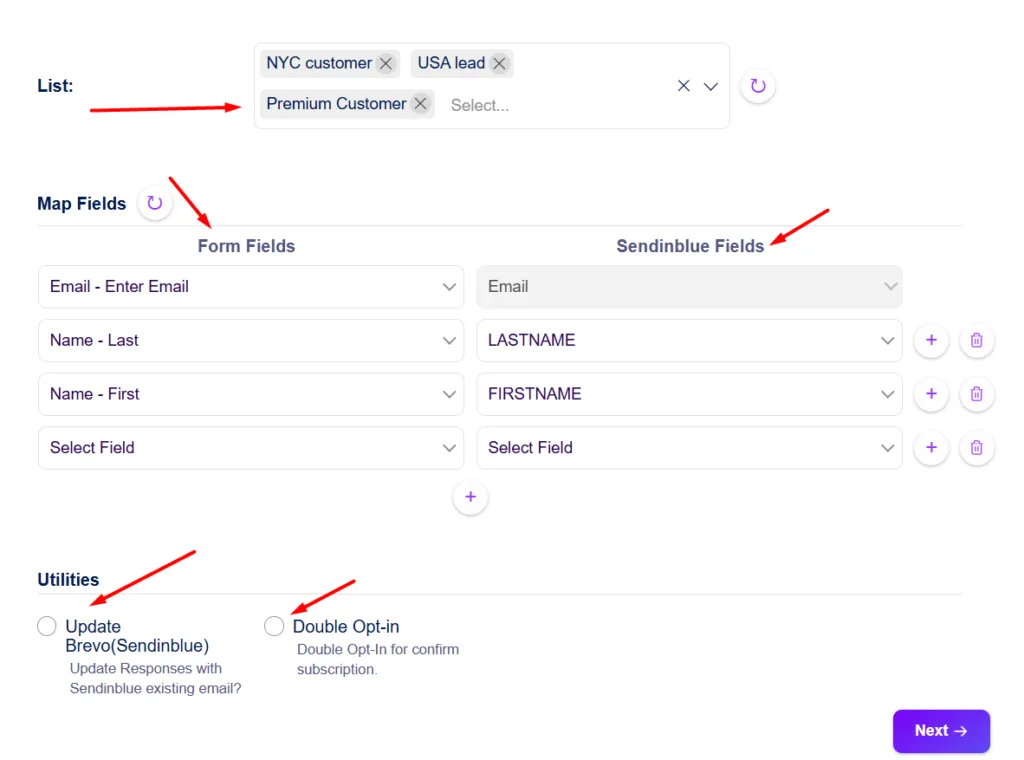
Here are some practical examples of how different teams use this setup:
A marketing agency runs Gravity Forms on client websites for lead capture. Each submission automatically creates a new contact in GoHighLevel and places it in the correct pipeline stage, so the sales team can follow up without any manual data entry.
A SaaS business uses a Gravity Forms demo request form on its pricing page. Each submission creates a new deal in Pipedrive with the contact details and the product plan they selected, routing it straight to the sales pipeline.
An HR team collects job applications through a Gravity Forms intake form. Bit Integrations pushes each submission into Freshsales as a new contact, tagged by the role they applied for, making it easier to track and follow up.
A business coach uses a client intake form built with Gravity Forms. On submission, Bit Integrations adds the person to FluentCRM, assigns them a tag based on their service interest, and triggers a welcome email sequence automatically.
Here is how the two approaches differ side by side:
| Features | Gravity Forms Native | With Bit Integrations |
| CRMs Supported | 6 specific CRMs | 30+ CRMs |
| CRM Add-on Cost | In Pro Plan -$159 | All included in the basic plan: $35. Now Connect CRM, Email, LMS, Google Sheets and more. |
| Setup Required | Per add-on installation | Single plugin for all CRMs |
| Non-CRM Integrations | Select tools via separate add-ons | 335+ tools in one plugin |
| Data Stays on Your Server | YES | YES |
At the end of the day, your form tool and your CRM should work together without making you jump through hoops.
If Gravity Forms is your form builder and your CRM is not natively supported, Bit Integrations is worth a look. Install it, map your fields, and your next form submission goes straight to where your team actually works.
Yes. Bit Integrations works as a standalone WordPress plugin. It does not depend on your Gravity Forms plan level, so it works the same way on Basic, Pro, and Elite.
Not necessarily. If you already have a native add-on set up and it is working well, you do not need to remove it. Bit Integrations can work alongside existing add-ons, or you can use it as a replacement if you prefer managing everything in one place.
No. Bit Integrations is a self-hosted WordPress plugin. Your form data is processed on your own server and sent directly to your CRM. It does not route through a third-party cloud service, which many teams prefer for data privacy reasons.
Yes. You can create multiple integrations for the same Gravity Forms trigger. For example, a single form submission can create a contact in HubSpot and simultaneously add a deal in Pipedrive, if your workflow calls for it.
That is not a problem. The field mapping step inside Bit Integrations lets you manually match each form field to the correct CRM field, regardless of what they are named. So if your form has “Phone Number” and your CRM calls it “Mobile,” you simply map one to the other during setup.
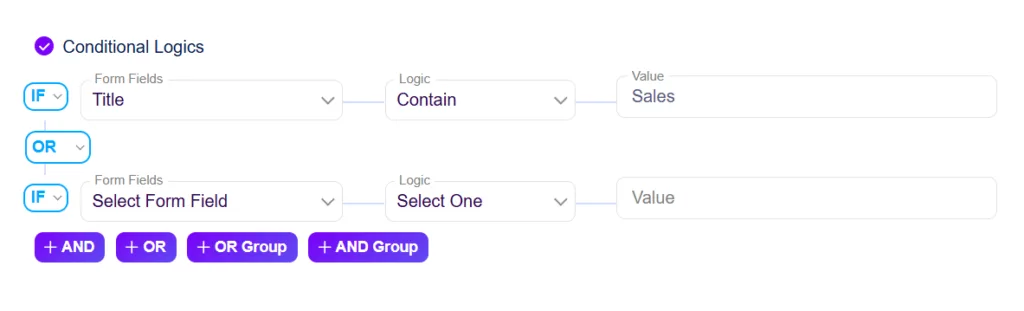
Yes. Bit Integrations has a conditional logic feature that lets you set rules on the integration level.





 EN
EN  ES
ES  DE
DE  NL
NL  FR
FR