
New Year Deal 2026
up to 41% off
Offer ends in:
00

days day

00

hours hour

00

Mins Min

00

Secs Sec

bit integrations santa

Elementor Form Integration with 164+ Apps for Free Using Bit Integrations

Automatically send your Elementor form entries easily to Google Sheets, CRMs, Marketing Tools, and 164+ external platforms for free - using Bit Integrations.
Get Started Free
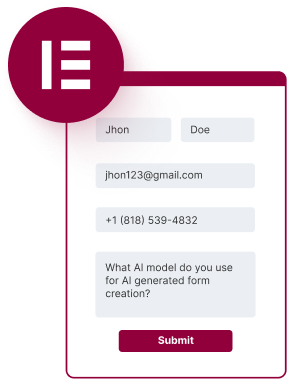
elementor form
Bit integrations icon
integrations flow
164+
Integrations
Data Sent!

Struggling with Manual Data Entry in Elementor Forms?

Turn Elementor Form Submissions into Instant CRM, Email, and Spreadsheet Entries for free, No Manual Work.
Manually entering Elementor form data into multiple platforms wastes time and creates room for mistakes.
manually repeated task
With Bit Integrations, you can automatically sync your Elementor form entries with over 164+ apps with just a few clicks. No coding, no hassle, no sending limitations, and best of all, it's completely free.
Elementor Form free integration

Connect your Elementor form with external platforms in just 3 simple steps

Easily automate your Elementor form entries to external apps - No coding hassle!
01
Choose the Elementor form as the trigger
elementor form demo
02
Pick your desired app as an action and provide app details
integrations flow list
03
Map the Elementor form fields with the corresponding app fields.
field map

Why choose Bit Integrations as your universal Elementor form Connector?

Unlock limitless possibilities by automating your Elementor forms with over 164+ apps for free
smart person
  • Free Elementor Form Trigger with 164+ platforms
  • Unlimited Data Sending
  • Conditional logic
  • Real-time data syncing
  • No Limits
  • Simple Setup

Try Popular Elementor Form Workflows with Leading Platforms for free

Discover the power of automating your Elementor forms with the most popular apps.

Learn How to Connect Elementor Forms with Google Sheets and More

Watch our step-by-step tutorials and learn how to unlock the full potential of Elementor Forms integrations, totally free!
Explore more integrations

Frequently Ask Questions

Simple in Bit Integrations! After choosing your Elementor form as your trigger, next, pick your desired email tool, such as Mailchimp or ConvertKit, as an action, provide app details, and map the fields.

Yes, you can automatically send your Elementor form entries using Bit Integrations. Bit Integrations supports extensive CRM integrations, so you can easily send your Elementor form data to your favorite CRM systems.

With Bit Integrations, sending Elementor form data to Google Sheets is a simple process. Simply select the Elementor form as a trigger, select Google Sheets as your action, provide Google client ID and Client Secret, and map the fields between your Elementor form fields to your Google Sheet corresponding column.

There is no form submission limitation in Bit Integrations. Using Bit Integrations, you can send unlimited Elementor form data to your favorite platform, even in the free version of Bit Integrations.

Yes, Bit Integrations allows you to integrate Elementor forms with webinar tools like Zoom, even in the free version. When users submit the form, their details can be automatically sent to Zoom for registration. You’ll need to connect Zoom via the API and map the necessary fields (such as name and email) to the Zoom registration form fields.

Yes! Using Bit Integrations, you can easily connect your Elementor form with Airtable for free.

Absolutely! Bit Integrations can connect your Elementor forms to Zendesk or Freshdesk for creating support tickets automatically. When a user submits a form, their inquiry can be sent directly to your support desk as a new ticket. You can also map form fields like issue description, name, and contact information to the corresponding fields in the support system.

Learn What New in Automation

Bit Integrations footer logo
Fastest Integration with 316+ Trigger & Actions
multiple-logo