

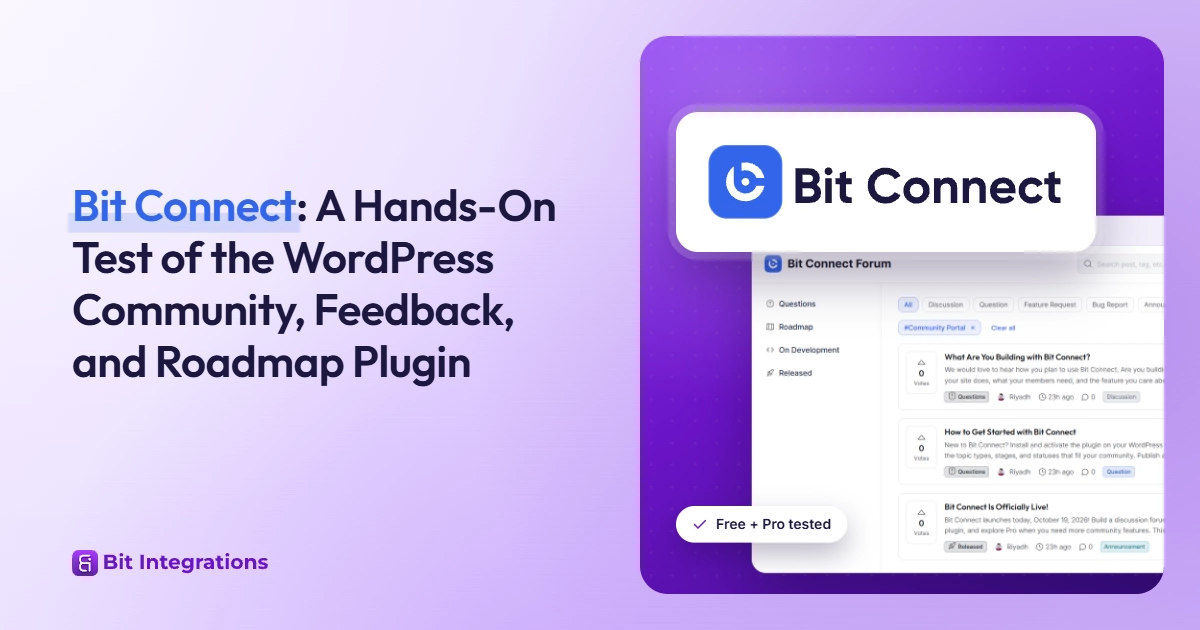
Bit Connect: A Hands-On Test of the WordPress Community, Feedback, and Roadmap Plugin
Quick verdict
Bit Connect turns a WordPress site into a forum, feedback board, and stage-based roadmap, with SEO controls built in. It suits product teams and stores that want feedback on their own domain.
The free version handles posting, voting, statuses, moderation, and automation events; Pro adds groups, polls, private posts, automated moderation, and connections to Bit Integrations, Bit Flows, webhooks, and API keys.
Bit Connect at a glance
| Developer | Bit Apps |
| Type | Community, forum, feedback, and roadmap plugin for WordPress |
| Free version | Available on WordPress.org |
| Pro | Paid add-on that runs on top of the free version |
| Requirements | WordPress 6.8+ and PHP 8.2+ |
| Members | Your WordPress users, with no member cap |
| Placement | Dedicated page, homepage, shortcode, or block |
| Integrations | Automation events in the free version; Bit Integrations, Bit Flows, webhooks, and API keys in Pro |
| Not included | CAPTCHA or Akismet integration |
What is Bit Connect?
Bit Connect is a WordPress plugin from Bit Apps that adds a community portal to your site. Members create posts, comment in threads, upvote ideas, and follow conversations.
You organize posts with stages and statuses, so one portal can run as a forum, a feature request board, and a public roadmap. Bit Apps released the first stable version in September 2026 and updates it regularly.
Five building blocks shape every portal. You create, name, and rename all of them from the admin dashboard, and you can add as many as your community needs:
- Stages: sidebar sections you name, such as Questions, Roadmap, or Released
- Statuses: progress labels such as Open, Answered, or Planned
- Topics: post types such as Discussion, Feature Request, or Bug Report
- Tags: labels members can filter by
- Groups (Pro): separate spaces for products, teams, or departments

Disclosure: Bit Apps develops both Bit Connect and Bit Integrations. We tested the free version and Bit Connect Pro on our own WordPress site, and this review reports limitations alongside strengths. It carries no score.
Who Bit Connect suits
- Plugin, SaaS, and product teams that want discussions, feature requests, and a roadmap in one place
- WooCommerce, LMS, and membership sites that want a members-only discussion area on their own domain
- Teams moving feedback off a hosted tool to keep the posts, and their search traffic, on WordPress
Look elsewhere if your members need activity feeds and private messaging, or if your host can’t run PHP 8.2.
Automation and everyday portal controls
Beyond posts, voting, and roadmaps, Bit Connect links the community to the rest of your tools and gives you finer control over how the portal works. Every post, vote, and signup can start a workflow in another app.
| Feature | What it does | Plan |
|---|---|---|
| Automation events | Sends an event for posts, comments, votes, follows, profile changes, signups, logins, and reports, which automation tools use as triggers | Free |
| Site language | Shows the portal’s text in the language of your site | Free |
| Upvote switch | Turns upvotes off and removes the vote button | Free |
| One-step status change | Changes the status and the stage of an idea in one step | Free |
| Clearer notifications | Uses the portal icons and tells members when a post was deleted | Free |
| Integrations | Connects the community to Bit Integrations, Bit Flows, and other automation tools | Pro |
| Webhooks | Sends each community event to any app you choose | Pro |
| API keys | Lets other apps add posts and comments, change statuses, vote, give badges, and manage groups | Pro |
| More automation events | Adds events for comment votes, poll votes, group changes, and new badges | Pro |
These controls show up in day-to-day use. A moderator moves an idea into a new stage and updates its status in one step, a site that runs in another language shows the portal in that language, and a community that only wants discussion can switch upvotes off.
How we tested Bit Connect
We installed the free version, built a test portal, and then activated Pro. From separate admin and member accounts, we published posts, commented, voted, and filed and resolved reports.
We ran the site with a page cache plugin, tested a public post in Google’s Rich Results Test, and checked which pages load Bit Connect’s files.
Requirements and setup
Bit Connect requires WordPress 6.8 or higher and PHP 8.2 or higher, so check Tools > Site Health > Info > Server before you install. Pro installs as a second plugin on top of the free version.
A three-step wizard handles setup:
- Pick where the portal lives: a /community page, your homepage, or the [bit-connect] shortcode on an existing page.
- Set the title, logo, and access level.
- Choose between Bit Connect’s sign-in screens and your existing login and registration pages.
You can add stages, statuses, topics, and tags later.
Discussions, feature requests, and roadmaps
Posts, comments, and voting
Members write posts in a rich text editor with headings, links, lists, code, images, and attachments, then assign a topic and tags.
Each post shows its votes, status, attachments, and comments, plus an author card and share buttons for X, Facebook, LinkedIn, WhatsApp, Reddit, Telegram, and email, along with a copy-link option. Post upvotes come with the free version; comment upvotes need Pro. An upvote switch lets you turn post voting off, and the vote button disappears, which suits a discussion-only community.

How a feature request reaches the roadmap
Bit Connect builds its roadmap out of stages. Create stages such as Roadmap, In Development, and Released, and each becomes a sidebar section.
Moving a request into a stage, or changing its status, updates what members see, and the documentation says followers get notified of status changes. Members can sort, filter by tag, and search within a stage. Moderators can change the status and the stage of an idea in one step, so moving a request from Planned into In Development is a single action.
In our testing, stages displayed posts as lists. Bit Connect has no column board or timeline view, so teams that want a visual roadmap should check whether stage lists show enough.

Profiles and notifications
Each member gets a profile with a photo, cover image, bio, social links, and tabs for posts, comments, and upvotes (documented). Members receive in-app and email notifications and manage their own preferences.
Pro adds a custom sender and daily or weekly digests. Notifications use the portal’s own icons and tell members when a post was deleted.
Admin, moderation, and access
The community dashboard
The dashboard tracks posts, comments, members, and votes over 7 days, 30 days, or 12 months. A Needs Attention panel counts reported items, comments awaiting approval, and unanswered posts.
A Response Time card shows the median time to a first comment, a number support teams will want. Lower tables rank the most upvoted posts and top contributors.

Reports and moderation
Members report a post or comment by picking a reason, such as spam, harassment, or off-topic, and adding a note.
Moderators review reports in a queue with Needs review, Kept, and Removed tabs, see who reported what and why, and keep or remove the content.
In the free version, reported content stays visible until a moderator acts. Pro adds post approval and hides content once it reaches a report threshold.
Roles control who can post, vote, moderate, and lock discussions, and Pro adds per-member overrides.

Spam protection
Our testing found no CAPTCHA and no Akismet integration. Bit Connect does rate-limit logins, signups, password resets, votes, and reports, and it relies on email verification, member reports, and the moderation queue, plus post approval and threshold hiding in Pro.
Budget moderator time if you open registration to the public.
Access and sign-in
You can open the portal to everyone or limit it to logged-in members. Bit Connect ships its own login, signup, email verification, and password recovery screens, or you can send members to the login pages your membership or LMS plugin already uses. New members get your site’s default WordPress role. The portal shows its text in the language of your site.
Community SEO and performance
Bit Connect gives each public post its own URL on your domain. Its documentation says it renders portal content on the server, so crawlers can read posts without running JavaScript.
It builds a sitemap index with one sitemap for posts and one per indexed taxonomy and lists it in robots.txt.
The SEO settings include an indexing toggle for each archive type: topics, tags, stages, statuses, and groups. Archives you switch off stay open to visitors but are hidden from search engines. Member profiles stay out of search until you enable them.

Google’s Rich Results Test found three valid items on a public post: Article, Breadcrumbs, and Discussion forum. Two showed non-critical issues, which flag missing recommended fields without blocking eligibility.

Index archives with care. A tag used on two posts adds a thin page, so index the topic and stage archives that collect real discussions and switch the rest off.
Guest pages and logged-in actions both worked with page caching on. Bit Connect also loads its front-end files outside the portal, adding weight to blog and product pages, which matters most when the community is a small part of the site. Bit Connect works with page cache plugins, and the portal is built to stay light, loading parts only when members open them.
Per the documentation, the portal makes no third-party requests and bundles its fonts, which gives it its own typography separate from your theme.
Bit Connect Free vs Pro
The free version covers the core feedback workflow: posts, threaded comments, post upvotes (with a switch to turn them off), stages, statuses, following, notifications, reports, moderation, role permissions, the dashboard with top contributors, community SEO, automation events, and portal text in your site’s language. Pro adds the following.
| Pro feature | What it adds | Evidence |
|---|---|---|
| Groups | Public or private spaces with join and posting controls, invite links, group moderators, a separate feedback space for each product, and a choice of which groups visitors see | Seen in admin |
| Polls | Single choice, multiple choice, image, ranking, meeting time, and yes/no formats, up to 10 answers, with results shown at all times, after a vote, or when the poll closes | Tested |
| Private posts | Posts visible to the author and moderators | Documented |
| Comment upvotes and pinning | Comment voting, vote sorting, pinned posts and answers | Documented |
| Profile badges | Custom badges you assign to members | Documented |
| Post approval and auto-hide | Review queue for new posts; hiding at a report threshold | Documented |
| Posting limits | Caps on text length, attachments, file size, and file types | Documented |
| Advanced notifications | Custom sender and daily or weekly digests | Documented |
| Integrations, webhooks, and API keys | Connections to Bit Integrations and Bit Flows, webhooks that send events to any app, and API keys that let other apps add posts and comments, change statuses, vote, give badges, and manage groups | Documented |
| More automation events | Events for comment votes, poll votes, group changes, and new badges | Documented |

If the Pro license expires or you deactivate the add-on, groups, polls, badges, and other Pro data stay in your database, but Pro features stop working until you renew. Count renewal as part of the cost, since a lapse affects a live community.
Bit Connect pricing
The free version costs nothing on WordPress.org. Bit Connect Pro is sold through the Bit Connect pricing page, which advertises an early bird lifetime license at $99 during the launch period. Check that page for current plans, site limits, and renewal terms.
Bit Connect doesn’t charge per member, vote, or comment, so the license cost stays flat as your community grows. Your other costs are PHP 8.2 hosting, reliable email delivery for notifications, and moderator time.
Limitations to consider
- No CAPTCHA or Akismet integration (tested)
- PHP 8.2 required (documented)
- Pro features stop when the license lapses (tested)
- Roadmap shown as lists, with no board or timeline view (tested)
- Short track record: first stable release in September 2026, and an early release moved comment upvotes, private posts, and report-based hiding into Pro (documented)
- No activity feed, private messaging, or courses (documented)
How Bit Connect compares to other WordPress community tools
| Tool type | Main model | Voting and roadmap | Where data lives | Pricing model |
|---|---|---|---|---|
| Forum plugins (bbPress, wpForo, Asgaros Forum) | Boards, threads, replies | Not the core focus | Your WordPress database | Free core; paid add-ons vary |
| Social community plugins (BuddyPress, BuddyBoss, FluentCommunity) | Profiles, feeds, groups, messaging | Not the core focus | Your WordPress database | Free and paid editions vary |
| Hosted feedback tools (Canny, Featurebase) | Feedback boards and roadmaps | Built in | The vendor’s servers | Free and paid subscription tiers |
| Bit Connect | Posts organized by stages and statuses | Built-in, with stages as the roadmap | Your WordPress database | Free version plus Pro add-on |
Bit Connect sits between forum plugins and hosted feedback tools. It keeps discussions in WordPress and adds the voting and status tracking teams usually get from a hosted service.
Integrations and automation
Bit Connect connects to the rest of your site through WordPress user accounts, custom login and registration URLs, and the shortcode or block that places the portal.
Bit Connect sends an event each time something happens in the community: a new post or comment, a vote, a follow, a profile change, a signup, a login, or a report. Automation tools use these events as triggers, and the events come with the free version.
Bit Connect Pro turns those events into working connections in three ways:
- Integrations: connect the community to Bit Integrations, Bit Flows, and other automation tools.
- Webhooks: send each community event to any app you choose.
- API keys: let other apps add posts and comments, change statuses, vote, give badges, and manage groups.
Pro also adds events for comment votes, poll votes, group changes, and new badges.
What you can automate
Events work as triggers and API keys work as actions, so data can move in both directions. A few workflows this opens up:
- Send each new feature request to your project board in ClickUp or Asana the moment a member posts it.
- Add new community signups to your email marketing list or to a CRM such as Bit CRM.
- Log every report in a Google Sheet so your team can spot moderation trends.
- Update an idea’s status in the portal when the work ships in your project tool, so followers see the change without a moderator stepping in.
- Give a member a badge when they reach a milestone tracked in another app.
Bit Integrations already connects form builders such as WPForms and Gravity Forms, Google Sheets, email marketing tools, and project tools, so the community can share data with the plugins many WordPress sites already run.
Final verdict: who should use Bit Connect?
Bit Connect suits a team that sells a product on WordPress, collects feature requests, and wants that feedback published as indexable pages on its own domain.
Start with the free version for a feedback board with stages, statuses, voting, and moderation. Move to Pro if you run several products that need separate groups, want polls, need post approval to keep moderation manageable, or want the community connected to your other tools through Bit Integrations, Bit Flows, webhooks, or API keys.
Choose a social community plugin if members expect feeds and messaging, and stay with a hosted feedback tool if you’d rather not run community software on your own server.
Bit Connect FAQs
Is Bit Connect free?
Yes, Bit Connect has a free version on WordPress.org that covers posts, comments, voting, stages, statuses, moderation, community SEO, and automation events. Bit Connect Pro is a paid add-on for groups, polls, private posts, advanced moderation, and integrations.
What does Bit Connect Pro add?
Pro adds public and private groups, polls, private posts, comment upvotes, pinning, profile badges, post approval, report-threshold hiding, posting limits, portal banners, email digests, per-member permissions, integrations with Bit Integrations and Bit Flows, webhooks, and API keys.
Does Bit Connect integrate with other apps?
Yes. The community sends automation events for posts, comments, votes, follows, profile changes, signups, logins, and reports in the free version. Bit Connect Pro connects those events to Bit Integrations, Bit Flows, and other automation tools, sends them to any app by webhook, and gives other apps API keys to add posts and comments, change statuses, vote, give badges, and manage groups.
Is Bit Connect a forum plugin or a feedback board?
Both. Bit Connect runs threaded discussions like a forum plugin, and it uses votes, stages, and statuses to run a feature request board and public roadmap in the same portal.
Does Bit Connect limit the number of members?
No. Bit Connect uses your WordPress user accounts and doesn’t cap or charge by members, votes, or comments.
Can I make a Bit Connect community members-only?
Yes. You can open the portal to everyone or restrict it to logged-in members, using Bit Connect’s sign-in screens or your existing login pages.
Does Bit Connect have spam protection?
Bit Connect has no CAPTCHA or Akismet integration, but it rate-limits logins, signups, password resets, votes, and reports. Email verification, member reports, and the moderation queue add more protection, and Pro adds post approval and report-threshold hiding.
What happens if my Bit Connect Pro license expires?
Your groups, polls, badges, and other Pro data stay in the database, but Pro features stop working until you renew.
Will Bit Connect posts appear in Google search?
Public posts can. Each post gets its own URL, Bit Connect generates a sitemap index, and Google’s Rich Results Test detected Article, Breadcrumbs, and Discussion forum structured data on a test post. You choose which archives search engines index.
What are the Bit Connect requirements?
WordPress 6.8 or higher and PHP 8.2 or higher.
Is Bit Connect related to the BitConnect cryptocurrency?
No. Bit Connect is a WordPress community plugin from Bit Apps and has no connection to the BitConnect cryptocurrency.

Related Blog

ClickUp vs. Trello in 2026: We Ran the Same Workflows in Both
Bit Integrations vs Bit Flows: Same Company, Different Automation Jobs